1
Performance Tests
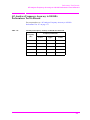
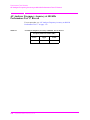
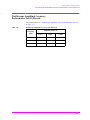
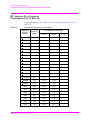
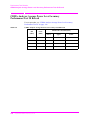
CDMA Generator RF IN/OUT Amplitude Level Accuracy Performance Test 25
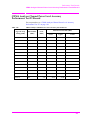
CDMA Generator RF IN/OUT Amplitude Level Accuracy
Performance Test 25
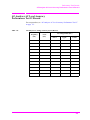
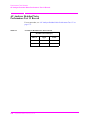
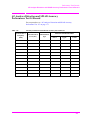
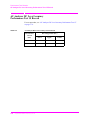
The purpose of this test is to verify that the Test Set meets the specification limits
in PTR (Performance Test Record) table 7-25, "CDMA Generator RF In/Out Test
25 Record" on page 243. The amplitude level accuracy of the CDMA generator is
measured directly with a power meter. These measurements are made at the top
and bottom of the CDMA generator’s vernier range.
NOTE
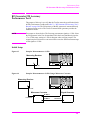
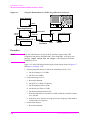
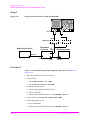
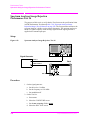
Two setups follow. The first setup can measure signals to 1 GHz. Since the FM
generator in the Test Set translates FM in the lower band directly into the 1.7 to 2
GHz range, testing to 1 GHz is adequate when verifying a repair. The second setup
has a microwave converter which covers the full measurement range of FM signals
to 2 GHz.
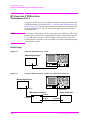
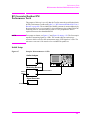
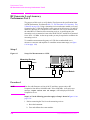
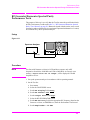
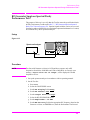
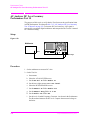
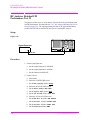
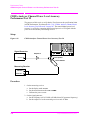
Setups
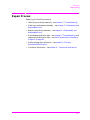
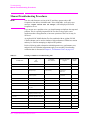
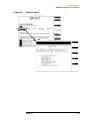
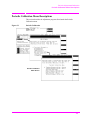
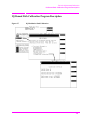
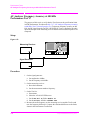
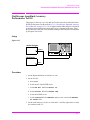
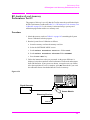
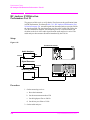
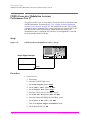
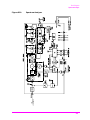
Figure 6-30
Setup 1 for Measurements to 1 GHz
CALL CONTROL
UTILITIES
Answer
Call/
Page
End/
Release
Register
Print
Printer
Tests
Config
I/O config
Help
Previous
Message
Preset
Hold
Power Meter
Meas
reset
ANALOG SCREENS
CDMA SCREENS
USER
Cell config
Spectrum
SMS
Call
control
Gen
control
Authentication
Call
control
Duplex
K1'
Spectrun
analyzer
K1
MS report
MS FER
RX test
TX test
TX
range
RX test
TX test
AF
analyzer
K2'
Address
Local
Save
Recall
K2
DATA FUNCTIONS
DATA
K3'
Ref set
Meter
Average
K3
Increment
10
Increment
set
Increment
x 10
Low limit
Assign
7
8
9
Enter
4
5
6
Ghz
dBm
dB
1
2
3
MHz
V
%
0
.
+/-
kHz
mV
s
Yes
On/Off
No
Ratio
W
%
dB
High limit
K4
Release
K5
IBASIC
reset
Shift
POWER
DO NOT apply RF
when in standby
INPUT 50Ω
RF IN/OUT
DUPLEX OUT
Max power 2.5W
Cancel
ANTENNA IN
VOLUME
Max power 60 mW
AUDIO OUT
Max 12V peak
High
mW
Hz
µV
ms
AUDIO IN
Low
Max
42V peak
RF IN/OUT
Sensor Module
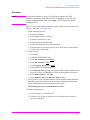
Procedure
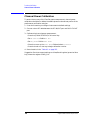
1. Before connecting the equipment, on the measuring receiver:
a. Reset the instrument.
b. Zero and calibrate the sensor module.
NOTE
Make sure the sensor module’s calibration data is entered into the measuring
receiver.
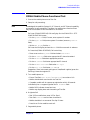
2. Connect the equipment as shown in Setup 1.
190
S:\agilent\e8285\ALR\Book\chapters\perf_test.fm