1
10-1 SWITCH UNIT AND COIN METER
WARNING!
STOP
IMPORTANT!
Never touch places other than those specified. Touching places not specified can
cause electric shock and short circuit accidents.
● Adjust the sound to the optimum volume, taking into consideration the
environmental requirements of the installation location.
● Removing the Coin Meter circuitry renders the game inoperable.
SWITCH UNIT
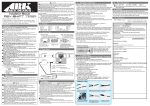
Open the coin chute door, and the switch
unit shown will appear.
The functioning of each SW is as follows:
FIG. 10. 1 a SWITCH UNIT
* Note: Actual Switch Unit will appear different.
● SOUND VOLUME SWITCH: Adjusts sound volume for all of the machines' Speakers.
(SPEAKER)
● TEST BUTTON:
(TEST)
For the handling of the test button, refer to the following pages.
● SERVICE BUTTON:
(SERVICE)
Gives credits without registering on the coin meter.
● DEMAGNETIZER SWITCH: Eliminates the on-screen color unevenness due to magnetization of
(DEMAG.)
CRT. First use this SW before performing the monitor's color adjustment.
COIN METER
Open the Cashbox Door by using the
key to have the Coin Meter appear
underneath the Cashbox.
COIN METER
FIG. 10. 1 b
www.seuservice.com
22