1
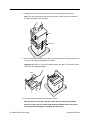
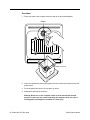
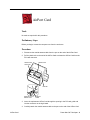
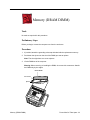
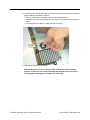
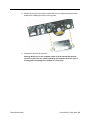
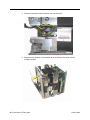
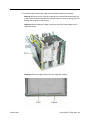
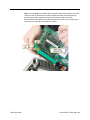
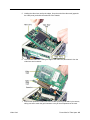
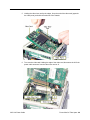
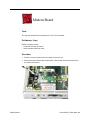
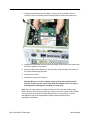
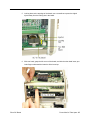
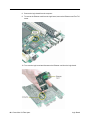
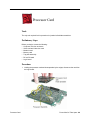
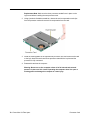
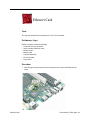
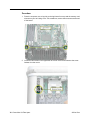
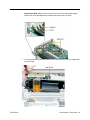
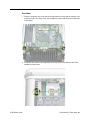
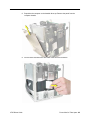
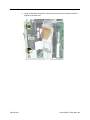
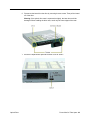
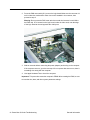
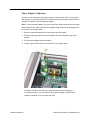
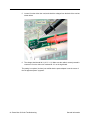
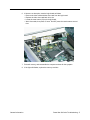
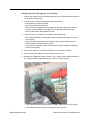
3. Holding the modem board by the edges, rock and tilt it up to release it from its
connector. Then move it away from the chassis panel to release the modem port.
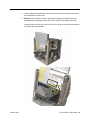
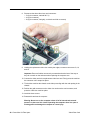
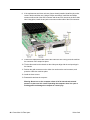
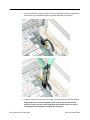
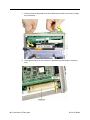
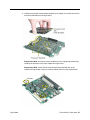
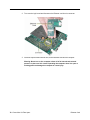
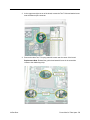
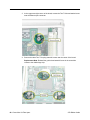
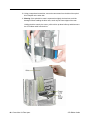
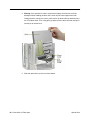
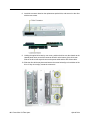
4. Holding the replacement modem board by the edges, tilt the board so the modem port
fits into the opening in the chassis.
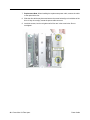
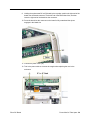
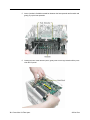
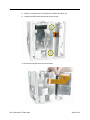
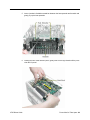
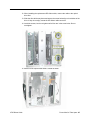
5. With the modem board aligned over the connector, press the edges of the board so
the modem board snaps into place.
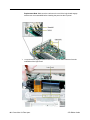
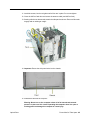
6. Install the two screws.
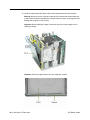
7. Reassemble and test the computer.
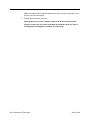
Warning: Never turn on the computer unless all of its internal and external
parts are in place and it is closed. Operating the computer when it is open or
missing parts can damage the computer or cause injury.
Note: After you have replaced a modem in Europe or Asia, open the software utility
Modem Country Selector and verify that the modem is set to the correct country. Modem
Country Selector is located in the Apple Extras folder on your hard drive or can be
downloaded as part of the Apple Modem Updater software bundle at http://
www.apple.com/software.
54 - Power Mac G4 Take Apart
Modem Board