1
Next
Back
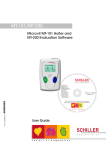
IQmark EZ Holter Operation Manual
TABLE OF CONTENTS
A WORD OF THANKS .................................................................................................. iii
I.
GENERAL INFORMATION ..................................................................................1
A.
B.
C.
DESCRIPTION................................................................................................................1
NECESSARY COMPUTER SKILLS ...................................................................................2
SYSTEM COMPONENTS .................................................................................................3
II.
INSTALLATION ......................................................................................................5
A.
HARDWARE INSTALLATION ..........................................................................................5
Minimum Computer Requirements ....................................................................5
Set Up ..................................................................................................................6
SOFTWARE INSTALLATION ...........................................................................................7
Windows Taskbar................................................................................................7
Installation Steps .................................................................................................7
CONFIGURING THE IQMARK EZ HOLTER ......................................................................7
Database Settings ................................................................................................9
List Management .................................................................................................9
Holter Settings ...................................................................................................11
B.
C.
III. OPERATION ..........................................................................................................15
A. PURPOSE ....................................................................................................................15
B. BEFORE STARTING A HOLTER SCAN ..........................................................................15
C. PERFORMING A NEW HOLTER SCAN WITH AUTOMATIC PRINT REPORTS AFTER
ANALYSIS 16
Starting the Program .........................................................................................16
Entering Patient Data ........................................................................................17
Starting a New Holter Test ................................................................................17
Completing the Holter Scan ..............................................................................20
D. REVIEWING AND EDITING HOLTER TESTS ..................................................................23
Working with the Holter Program.....................................................................23
Entering Patient Events/Diary ...........................................................................26
Viewing and Editing Sample Strips ..................................................................27
Viewing Full Disclosure in Page Scan ..............................................................30
Viewing other results in Data Review...............................................................34
ST Analysis Results ..........................................................................................35
Viewing and Entering Interpretation/Comments ..............................................37
Printing Reports ................................................................................................38
Correcting The Time and Date of the Holter Recording ...................................39
Summary Report Format ...................................................................................40
E. REVIEWING AND EDITING HOLTER TESTS OVER THE NETWORK ...............................42
Requirements.....................................................................................................43
i