1
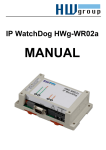
IP WatchDog Lite – Dual monitor of Ethernet devices
HW group
Table of contents
Shipment contents ........................................................................................................................... 2
Default network parameters configuration: ................................................................................... 2
Table of contents.............................................................................................................................. 3
Characteristics and basic properties ............................................................................................. 4
Basic properties .............................................................................................................................. 4
Connection topology ....................................................................................................................... 5
Usage examples ............................................................................................................................. 5
Main WatchDog functions ............................................................................................................... 5
Technical parameters ...................................................................................................................... 6
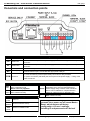
Conectors and connection points .................................................................................................. 7
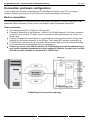
Connection and basic configuration .............................................................................................. 8
Device connection .......................................................................................................................... 8
Primary configuration of Ethernet parameters ................................................................................ 9
Configuration troubleshooting ....................................................................................................... 11
Device configuration via WWW ..................................................................................................... 12
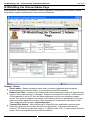
IP WatchDogLite Main Page ......................................................................................................... 12
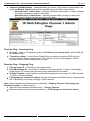
IP-WatchDog Lite Channel Admin Page ....................................................................................... 14
IP WatchDog Lite - Setup Page .................................................................................................... 16
IP WatchDog Lite – File Upload .................................................................................................... 18
IP WatchDog Lite – ConfigPage + Log ......................................................................................... 18
Description of configuration parameters ..................................................................................... 19
Device’s default configuration ....................................................................................................... 19
Device’s network parameters ....................................................................................................... 20
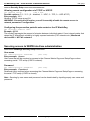
Securing by restricting the range of IP addresses ........................................................................ 20
Securing access to WWW interface administration ...................................................................... 21
Other device parameters .............................................................................................................. 22
Application hints ............................................................................................................................ 23
Security......................................................................................................................................... 23
Time protocol ................................................................................................................................ 23
NTP .............................................................................................................................................. 24
SNTP ............................................................................................................................................ 24
Using IP WatchDog in P2P networks............................................................................................ 24
Master Reset ................................................................................................................................ 24
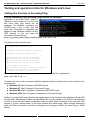
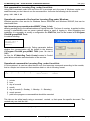
Testing and operation hints for Windows and Linux .................................................................. 25
Testing the function of Incoming Ping ........................................................................................... 25
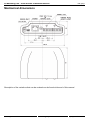
Mechanical dimensions ................................................................................................................. 27
Device versions .............................................................................................................................. 28
Contact ............................................................................................................................................ 28
February 2006
www.HW-group.com
page 3 / 28