1
English
Installation
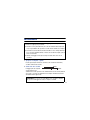
WARNING – Static electricity can severely damage electronic parts. Take these
precautions:
Before touching any electronic parts, drain the static electricity from your body.
You can do this by touching the metal frame of your computer.
Don’t remove a card from the anti-static container it was shipped in until you’re
ready to install it. When you remove a card from your computer, place it back in
its container.
When handling a card, hold it by its edges, and avoid touching its circuitry.
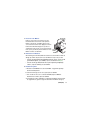
1 Turn your computer off and open it
This usually involves removing several screws. For more information, see your
system manual.
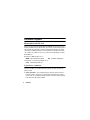
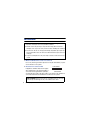
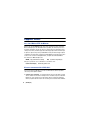
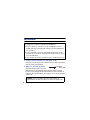
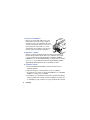
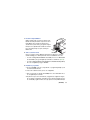
2 Choose a PCI slot
PCI slot
ISA slot
Most PCI bus computers have a
combination of PCI and ISA expansion
slots. PCI slots are usually made with light colored plastic, and are shorter than other
slots in your computer. Your system manual should identify the PCI slots.
WARNING: Plugging your Matrox card into a non-PCI slot could damage the
card, your computer, or both
4
(ENGLISH)