1
Contents
Models
Features
TP-9200
Auto Feed Card Printer
TP-9000
Manual Feed Card Printer
Caution
2
04
1 Getting Started
1.1 Introduction
1.2 Contents in Package
1.3 Printer Features
1.4 Loading Cleaning Roller
1.5 Loading Ribbon
1.6 Single Card Feeding
1.7 Loading Cards
1.8 Using Magnetic Stripe Cards.
1.9 Card Output Stacker For the TP-9200
1.10 Power Device, Power Cable, Communication Cable
07~17
07
07
08
12
13
14
15
16
16
17
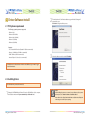
2. Driver/Software Installation
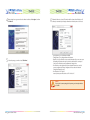
2.1 PC Systems requirement 2.2 Installing Driver
18~22
18
18
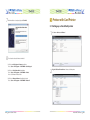
3. Printer with Card Printer
3.1 Setting up as the default printer
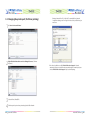
3.2 Changing the printer port (for Driver printing)
3.3 Printing a Card
3.4 Canceling Print
23~26
23
24
26
26
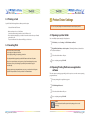
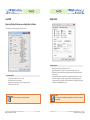
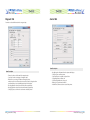
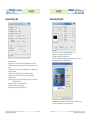
4. Printer Driver Settings 4.1 Opening in printer folder 4.2 Opening in printing Preferences on application software
4.3 Network Configuration Settings (Option)
27~44
27
27
36
Contents
5. Printer Operation 5.1 Printing a Card
5.2 Setting printer properties
5.3 Printing a sample Card
5.4 Printing a self-test card
5.5 Printing via a PC Connection
5.6 Printing One Card at a Time
45~49
45
45
46
46
48
49
6. Software Operation
6.1 Getting Started
6.2 Description on Features
6.3 Designing Card
6.4 Tools
6.5 Configuration
6.6 Data Synchronizing
6.7 Card Printing 50~62
50
50
50
54
55
56
61
7. Instructions on Maintenance
7.1 Maintenance of Product 7.2 How to Clean the Printer 7.3 Thermal Print Head Cleaning Pen and Alcohol Swab 7.4 Washing the Blue Cleaning Roller 63~69
63
64
68
69
8. Troubleshooting
8.1 In case front LED keeps on flashing or always on all the time.
8.2 Other Troubles
70~72
70
72
9. Other Issues
9.1 Color Ribbons
9.2 Monochrome Ribbons
73
73
73
10. POINTMAN Card Printer Specifications
10.1 Main Features
10.2 Specifications
74~75
74
74
11. Regulatory
76~77
Contents
3