1
OpenWay Field-Pro
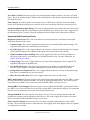
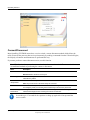
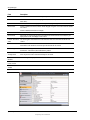
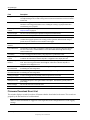
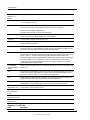
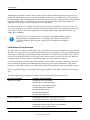
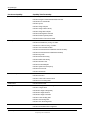
Field
Description
Status
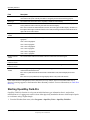
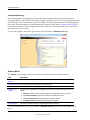
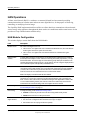
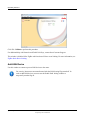
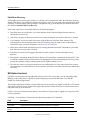
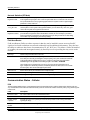
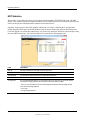
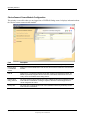
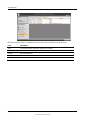
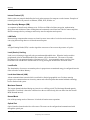
Pending. A CPP event is scheduled and the meter is waiting for the Start Time to arrive.
Waiting for EOI Sync. This status appears when the Start Time of the CPP event is between the
meter's intervals. The Start Time has arrived but the meter has to wait for the end of the current interval
before it switches to the CPP rate.
Active. The meter is in CPP mode: there is a critical peak pricing event happening now and the meter
has switched to the CPP rate.
Done on End of Interval. This status appears when the Start Time + Duration of the CPP event is
between the meter's intervals. Even though the full Duration has not elapsed, the meter returned to its
normal rate at the end of the last interval. See note below.
Done. The CPP event is over and the meter has returned to its normal rate. The CPP status remains as
"Done" until the next CPP event is scheduled.
Not Configured. The meter is not configured to participate in critical peak pricing events.
Unknown. Field-Pro is not able to determine the meter's CPP status.
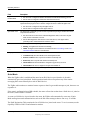
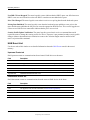
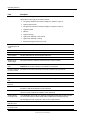
Start Time (field not
visible if the CPP
Status = Not
Configured)
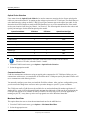
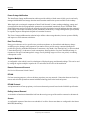
The date and time when the next CPP event is scheduled to start. The field remains unchanged after
the event until the next CPP event is scheduled.
Duration (field not
visible if the CPP
Status = Not
Configured)
The length of the CPP event (unless the Start Time is mid-interval; see note below).
Rate (field not visible The rate that the meter uses during the CPP event.
if the CPP Status =
Not Configured)
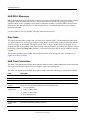
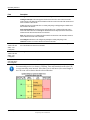
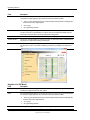
Recommended practice is to choose a CPP Start Time and Duration that allow the CPP
event to match the meter intervals. If the Start Time is mid-interval, the actual length of
the CPP event will be shorter than the selected Duration.
OpenWay Tools User Guide
47
Proprietary and Confidential