1
www.otn.ca
Communicating Your Telemedicine Practice
Top 10 Communication Strategies
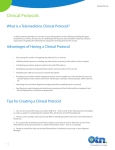
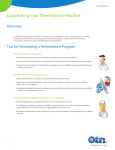
Tip 6: Create a poster or pamphlet for use in your office space
• Create a poster that you can hang in your waiting area to promote your telemedicine
practice.
• Design a pamphlet that you could hand out to your patients.
• There are examples of posters and pamphlets in pages 4 and 5 of this booklet.
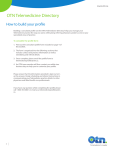
Tip 7: Create your profile in the OTN Telemedicine Directory
• Post your profile on the OTN Consultant Directory.
• Please refer to module 2 in the “Set Up Your Practice’ section for more details
on how to create your profile and how to access the telemedicine directory.
Tip 8: Use your local news media
• Local news media (television, radio, newspaper) are always an option to
promote new and exciting innovative health care practices.
• Contact [email protected] if you would like assistance in engaging your local
news media or to advertise successes or milestones of your telemedicine
practice.
Tip 9: Engage your OTN Regional Manager
• Work with your OTN Regional Manager to find partnerships and provide your
service to areas that are in need.
• This is especially useful if you are accepting new patients.
• If you do not know your OTN Regional Manager, call us at 1-866-4546861 and select option 3 or email: [email protected] to find out more..
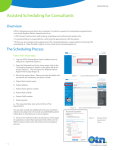
Tip 10: Use Ncompass to schedule your appointments
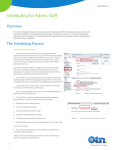
• Take advantage of OTN’s self-scheduling software (Ncompass) to allow your
administrative staff to coordinate and book your telemedicine appointments.
• This will make the process easy and efficient to set up your new telemedicine
service with other health care teams and providers.
2

Te lemedicine’s Leader