1
Installation Overview
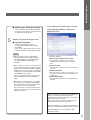
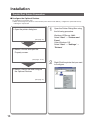
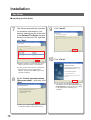
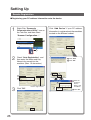
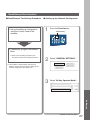
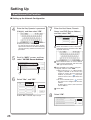
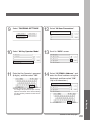
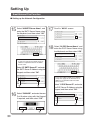
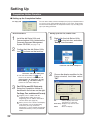
■ Setting up the Completion Notice.
A Job Completion Notice will be displayed
on the PC screen when the Copy/Print Job
is completed. (See page 32)
5
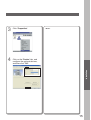
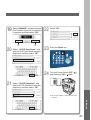
In the Optional Software tab, software
can be downloaded by clicking the
application title.
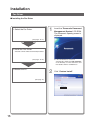
Setting up Optional Accessories.
■ Facsimile Function
Requires the installation of Fax
Communication Board (Order Number:
DA-FG600).
Refer to the Operating Instructions (For
Facsimile and Internet Fax/Email Functions).
NOTE
● When using the Printer on the MacOS
network environment, the optional Printer
Controller Module (for Adobe® PostScript®
3™) (Order Number: DA-MC800) is
required.
● When using the Printer on the Netware
network environment, the IPX/SPX software
setup wizard, and optional Printer Controller
Module (for PCL 6 Emulation or Adobe ®
PostScript® 3™) (Order Number: DA-PC800
or DA-MC800) are required.
Refer to the Operating Instruction (For IPX/
SPX Setup Wizard) on the provided CDROM.
● When there are two printer drivers installed
(for Network Port Connection, and Parallel
Port Connection) for the same model, each
printer driver can be used normally.
The Printer driver can be selected from the
Printer List of the Print Screen within the
application software.
● Following software can be installed from the
Panasonic Website.
Document Manager/Document Viewer
● This software is used to view / edit files,
including the Network Scanner's scanned
data.
Panafax Desktop
● This software is used to send / receive Fax from
your PC.
Web Device Monitor
● By installing the Web Device Monitor, it is
possible to check the device information from a
web browser.
IPX/SPX Setup Wizard
● When printing documents to the Novell Netware
network.
Microsoft, Windows, Windows NT and Windows
Server are either registered trademarks or
trademarks of Microsoft Corporation in the United
States and/or other countries.
Microsoft product screen shot(s) reprinted with
permission from Microsoft Corporation.
Novell and NetWare are registered trademarks of
Novell, Inc. in the United States and other countries.
All other trademarks are the property of their
respective owners.
3