1
QUICK START GUIDE FOR THE OCEANSCIENCE RIVERBOAT
Using an RD Instruments WorkHorse series ADCP
If this is the first time you have used your Oceanscience Riverboat system we highly recommend
you familiarize yourself with the setup procedures prior to field deployment. Testing in the office
can save valuable field time. While testing the transceivers in close proximity it is advisable to
unscrew the MaxRad antenna from the boat. This avoids the possibility of over-modulation.
The most important phase of setup is configuring your ADCP so that it will communicate through
the modems. This is done by setting the baud rate of the ADCP to 38,400 bps. This matches the
baud rate of channel 1 of your HydroLink ML2. (See section 1, Configuring the ADCP, for details
on how to do this).
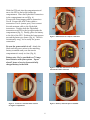
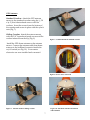
The next step is to install the ADCP on the Riverboat (see Riverboat Assembly Instructions).
Install the Remote transceiver and the GPS on the Riverboat (see section 3, Remote transceiver
setup).
Establish communications between your transceivers by completing section 4, Base Transceiver
Setup and System Power up.
Confirm ADCP data transmission through the transceivers (section 5, WinRiver Setup).
You can confirm GPS data transmission in the same manner but, your GPS antenna must have an
unobstructed view of the sky.
If you are receiving data from both sensors you can simply turn off the Riverboat toggle and
disconnect power to your Base transceiver. Once in the field, you can apply power and should be
ready to begin your discharge measurements.
3