1
168
NetworX Version 3 Installation Manual
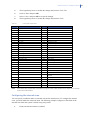
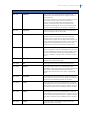
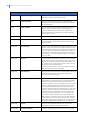
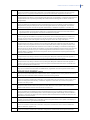
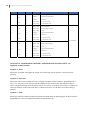
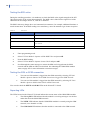
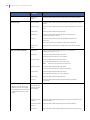
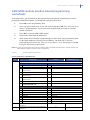
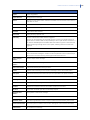
Location
Term
Definition
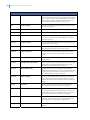
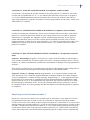
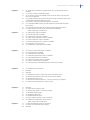
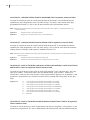
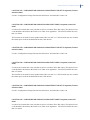
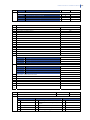
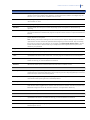
3.6.1.1.3
Custom Message
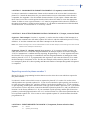
A This Keypad menu option that edits the custom
message.
3.6.1.1.4
Shutdown Message
A menu option that edits the message that is displayed on
the keypad when the control panel is in shutdown mode.
3.6.1.1.5
Copy Language
A menu option that copies information from the current
keypad descriptors to another or multiple keypads in the
system. Included are the zone descriptors, custom
message, shutdown message, zone names and partition
names.
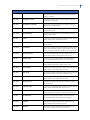
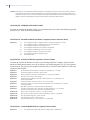
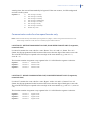
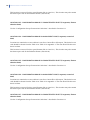
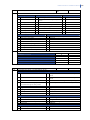
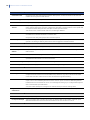
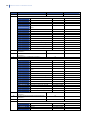
3.6.2
User Names
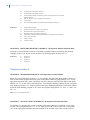
A menu option that specifies a name for each user code.
The maximum length of a user name is 15 characters.
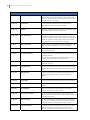
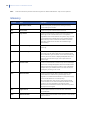
3.6.3
Zone Type Names
A menu option that allows the installer to define names for
each installed zone type. For example, Type 1 can be
named Burglary A Alarm, Type 2 can be named Fire Alarm,
Type 3 can be named Entry/Exit and so on.
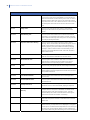
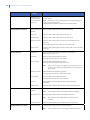
3.6.4
Word Library
A menu option that enables the word library. This is a
predefined collection of words that speed up text editing.
As the user/installer types a character, the keypad
automatically displays a matching word. The word library
is enabled by default.
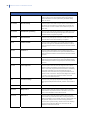
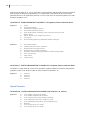
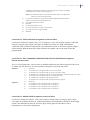
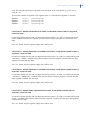
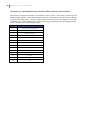
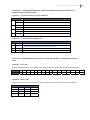
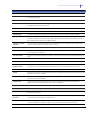
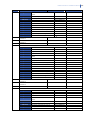
3.6.5
Copy All Texts
A menu option that copies all textual information from the
current keypad to all other keypads in the system. Included
are user names, custom message, shutdown message,
zone names and partition names in all languages set on
the source keypad. Copying happens after exiting from the
installer menu.
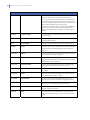
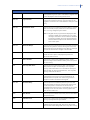
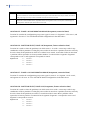
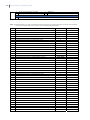
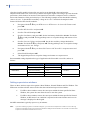
3.7
Copy Keypad
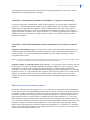
A menu option that copies the current keypad settings to
another or multiple keypads in the system.
3.7.1
To One Keypad
A menu option that specifies that the current keypad
settings are copied to one specific keypad.
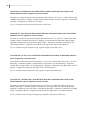
3.7.2
To All Keypads
A menu option that specifies that the current keypad
settings are copied to all connected keypads.
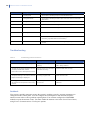
IMPORTANT: In the system with mixed (wired and wireless)
keypads, it is strongly recommended to start this
command from a WIRED keypad. Triggering this command
from a wireless keypad in the mixed system can end with
a timeout and cause incorrect copying results.
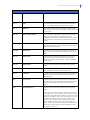
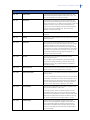
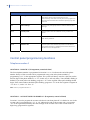
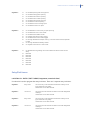
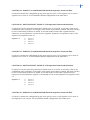
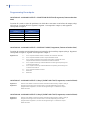
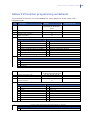
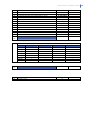
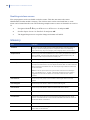
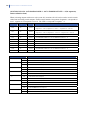
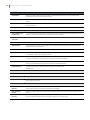
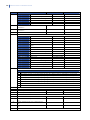
3.8
Load Country Defaults
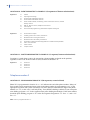
A menu option that defaults the keypad to the country
settings for the selected country.
3.9
Reset Settings
A menu option that defaults the keypad to factory defaults.
3.10
Switch to EN
A menu option that switches the keypad to the EN 50131compatible settings. For additional information about the
EN 50131 norm, see Appendix 7.
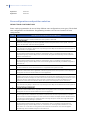
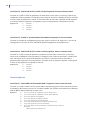
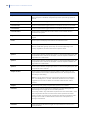
3.11
Diagnostics
A menu entry that groups the wireless keypad options
related to keypad's diagnostics, like good packet count,
last bad packet, etc.