1
NetworX Version 3 Installation Manual
203
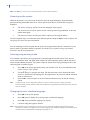
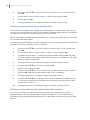
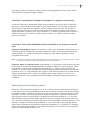
GPRS connection.
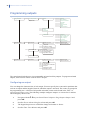
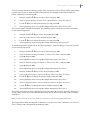
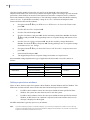
The connection is made via a TCP/IP network. Instead of a phone number, an IP address is set. The
Callback Required and Allow Calls From options are ignored.
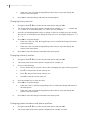
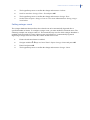
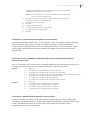
1.
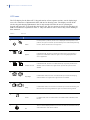
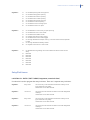
Navigate with the ½¾ keys to Up/Download>Connection Type>TCP/IP. This sets the
connection type and must be done before the phone number and IP address can be
programmed.
2.
Navigate with the ½¾ keys to NX-7002 Module>Up/Download>IP Address and press
OK.
3.
Press #¾ to clear the current value.
4.
Enter the IP Address and press OK.
5.
Navigate with the ½¾ keys to NX-7002 Module>Options>Network>Port Numbers>U/D
Port and press OK
6.
Select the U/D port and press OK.
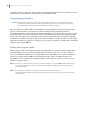
Note: When GPRS reporting (TCP/IP) is set then is recommended to use the TCP/IP Up/Download (by default
Up/Download is set to CSD). This will cause the 7002 to be connected to GPRS, and reporting will be faster
and cheaper.
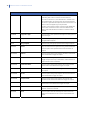
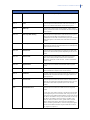
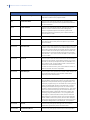
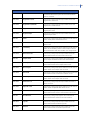
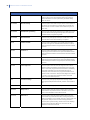
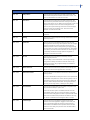
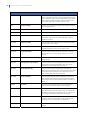
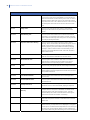
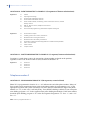
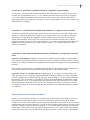
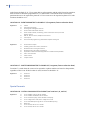
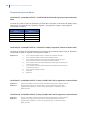
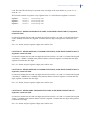
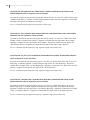
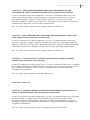
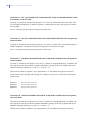
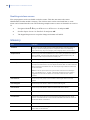
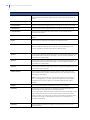
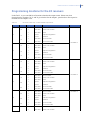
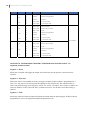
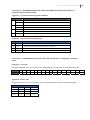
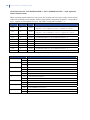
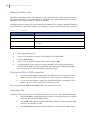
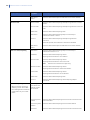
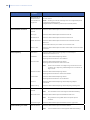
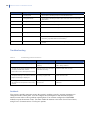
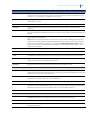
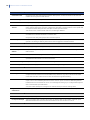
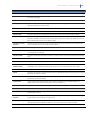
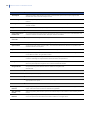
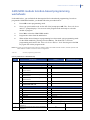
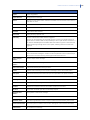
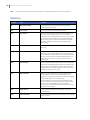
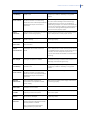
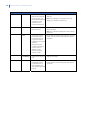
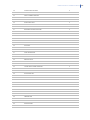
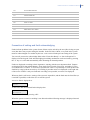
Reporting summary
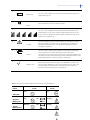
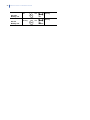
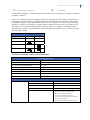
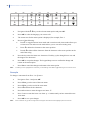
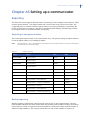
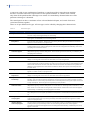
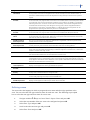
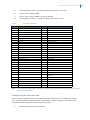
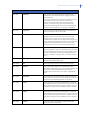
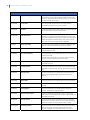
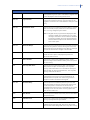
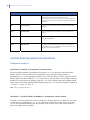
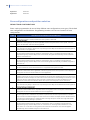
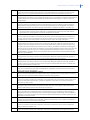
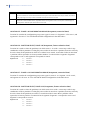
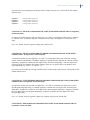
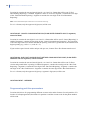
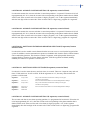
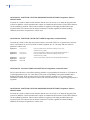
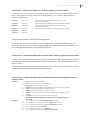
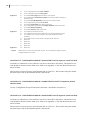
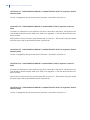
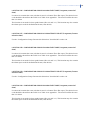
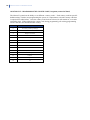
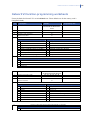
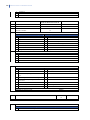
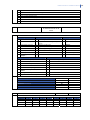
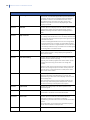
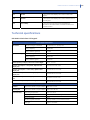
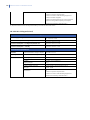
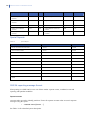
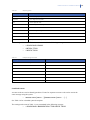
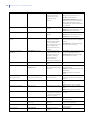
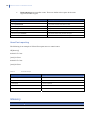
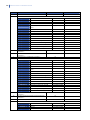
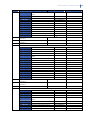
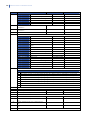
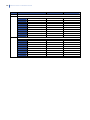
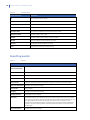
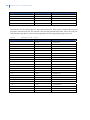
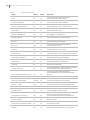
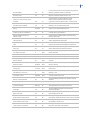
The following table summarises the programming information required for different types of
reporting.
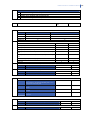
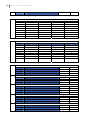
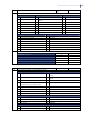
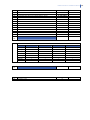
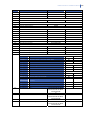
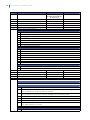
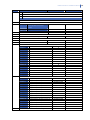
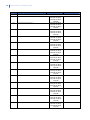
Table 25.
Reporting Summary
Report type
Contact ID over SMS
SIA over SMS
Information
required
Menu Option
Phone Number
Select NX-7002 Module>Reporting>SMS Reporting>Receiver n>Phone
number.
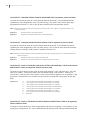
Account code
Select NX-7002 Module>Reporting>SMS Reporting>Receiver n>Account
Code.
Protocol
Select NX-7002 Module>Reporting>SMS Reporting>Receiver
n>Protocol>Contact ID.
Destination
Select NX-7002 Module>Reporting>Report Control>Report
n>Destination>SMS1 or SMS 2.
SMS Service
Centre
Select NX-7002 Module>Options>GSM>SMS Service Center Address.
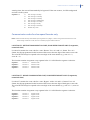
Phone Number
Select NX-7002 Module>Reporting>SMS Reporting>Receiver n>Phone
number.
Account code
Select NX-7002 Module>Reporting>SMS Reporting>Receiver n>Account
Code.
Protocol
Select NX-7002 Module>Reporting>SMS Reporting>Receiver
n>Protocol.
Select SIA Separate, SIA Combined or SIA Partition Modified.
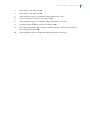
Destination
Select NX-7002 Module>Reporting>Report Control>Report
n>Destination>SMS1 or SMS 2.