1
NetworX Version 3 Installation Manual
Chapter A5 Setting up a communicator
Reporting
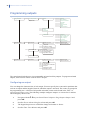
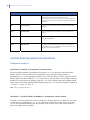
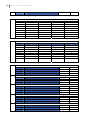
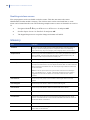
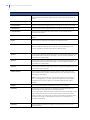
The NetworX system supports different modes of reporting events to multiple central stations. There
are three phone numbers - each phone number has it own account code, protocol and events. The
configured prefix is common to all three phone numbers. If a four-second delay is specified in the
prefix, the panel does not look for a dial tone, but performs blind-dialling. The following scenarios
are examples of how to set different modes of reporting.
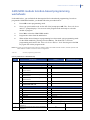
Reporting to one phone number
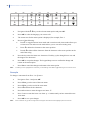
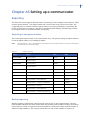
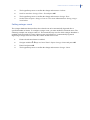
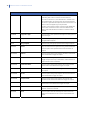
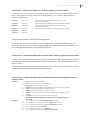
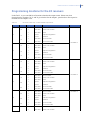
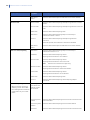
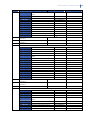
The control panel reports events to one central station only. You specify settings for phone number 1.
Events for phone number 1 are enabled by default.
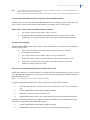
Note:
The characters B, C, D, E, F can be used in control panel account codes. The letter ‘A’ cannot be used as part
of the code as it is a termination digit.
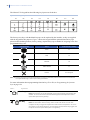
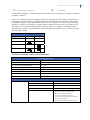
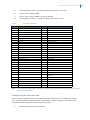
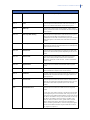
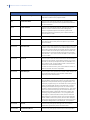
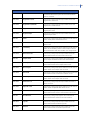
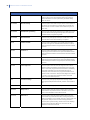
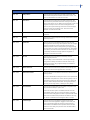
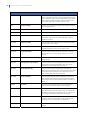
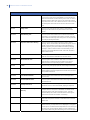
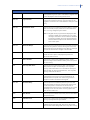
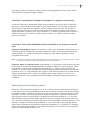
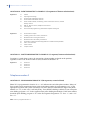
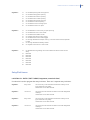
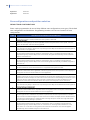
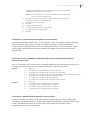
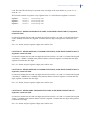
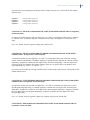
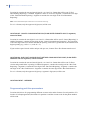
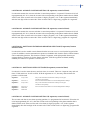
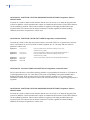
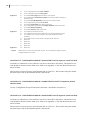
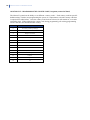
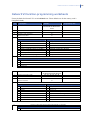
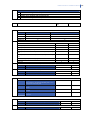
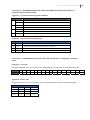
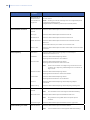
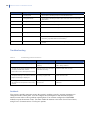
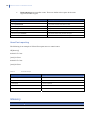
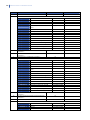
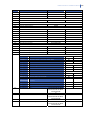
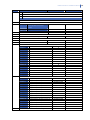
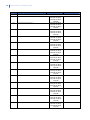
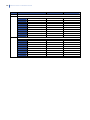
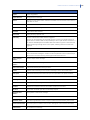
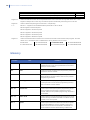
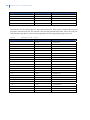
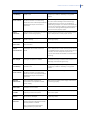
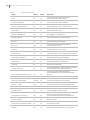
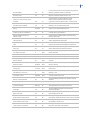
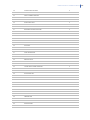
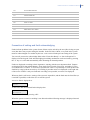
Table 11.
Setting up reporting
Level 1
Level 2
Value
Phone Number
Phone Number 1
123456
State
Phone Number 2
Account Code
Phone Number 1
BE5566
Phone Number 2
Protocol
Phone Number 1
SIA
Phone Number 2
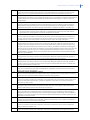
Events
Phone Number 1 – Alarms
Enabled
Phone Number 1 – Alarm Restores
Enabled
Phone Number 1 – Tampers and Restores
Enabled
Phone Number 2 – Alarms
Phone Number 2 – Alarm Restores
Phone Number 2 – Tampers and Restores
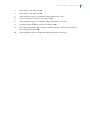
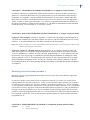
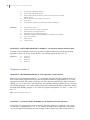
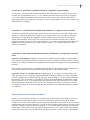
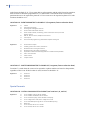
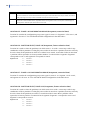
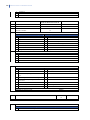
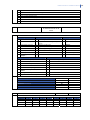
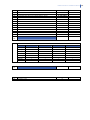
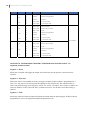
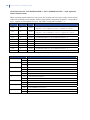
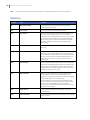
Backup reporting
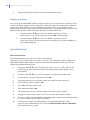
Backup reporting configures the control panel to report to two or more central stations. The first
phone number belongs to the main central station and all other phone numbers belong to the backup
central stations. Events are reported to the first number but, if the panel cannot reach this number, it
dials the backup number(s). The control panel makes two calls to each number in sequence. It
47