1
Introduction
Overview
Pro-drive is software used for maintenance of Hitachi inverters.
It is a simple, easy-to-use, but also powerful application, capable to communicate with any
inverter type and to access all inverter parameters. Using the internal data base, which contains
limits and dependencies, Pro-drive will not allow user to write any out-of-range value, or to write
some strange combination of parameters which may render inverter unusable.
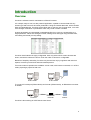
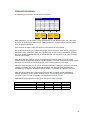
Inverter parameters are represented in spreadsheet-like form, each row corresponding to a
single parameter. Values are arranged in fields, holding lower and upper range, default value,
user setting and actual (current) setting.
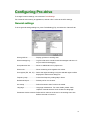
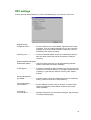
Pro-drive visual interface is highly configurable. User may select which screen elements are
shown, and which columns are shown. Even the order of columns is configurable.
Because of simplicity and safety, Pro-drive may be used not only by engineers and technical
experts, but also by technicians and short-trained persons.
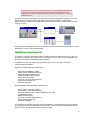
Two main modes of operation are available: on-line mode, with inverter connected, or in off-line
mode, preparing a project for later use.
Pro-drive
Pro-drive
off-line mode
on-line mode
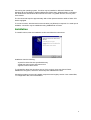
To connect PC serial port (RS232 levels) and inverter (RS422 levels), an RS232/422 converter
is needed.
RS232
Pro-drive
RS232/422
converter
RS422
inverter
Pro-drive is also working as OPC Data Access Server.
2