1
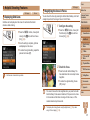
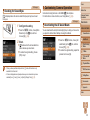
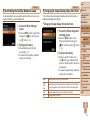
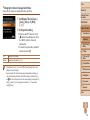
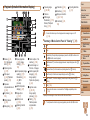
Cover Cannot magnify!/Cannot play back this content in Smart Shuffle/ Cannot rotate/Cannot modify image/Cannot modify/Cannot assign to category/Unselectable image./No identification information Lens Error • The following functions may be unavailable for images that were renamed or already edited on a computer, or images shot with another camera. Note that starred (*) functions are not available for movies. Edit ID Info* (= 91), Magnify* (= 92), Smart Shuffle* (= 93), Rotate (= 99), Favorites (= 100), Edit* (= 101 – 104), Print List* (= 154), and Photobook Set-up* (= 156). • Frequent display of this error message may indicate camera damage. In this case, contact a Canon Customer Support Help Desk. • Grouped images cannot be processed (= 59). Invalid selection range • When specifying a range for image selection (= 95, 98, 155), you attempted to choose an initial image that was after the final image, or vice-versa. Exceeded selection limit • This error may occur if the lens is held while it is moving, or when the camera is used in dusty or sandy locations. A camera error was detected (error number) • If this error message is displayed immediately after a shot, the image may not have been saved. Switch to Playback mode to check for the image. • Frequent display of this error message may indicate camera damage. In this case, write down the error number (Exx) and contact a Canon Customer Support Help Desk. File Error • More than 998 images were selected for Print List (= 154) or Photobook Set-up (= 156). Choose 998 images or less. • Correct printing (= 150) may not be possible for photos from other cameras or images that have been altered using computer software, even if the camera is connected to the printer. • Print List (= 154) or Photobook Set-up (= 156) settings could not be saved correctly. Reduce the number of selected images and try again. Print error • You attempted to choose more than 500 images in Protect (= 94), Erase (= 97), Favorites (= 100), Print List (= 154), or Photobook Set-up (= 156). Communication error • An excessive amount of images (approx. 1,000) on the memory card prevented printing or image transfer to a computer. To transfer the images, use a commercially available USB card reader. To print, insert the memory card directly into the printer card slot. Naming error! • The folder could not be created or images could not be recorded, because the highest supported folder number (999) for storing images on the card has been reached and the highest supported image number (9999) for images in folders has been reached. On the [3] tab, change [File Numbering] to [Auto Reset] (= 138), or format the memory card (= 136). • Check the paper size setting (= 152). If this error message is displayed when the setting is correct, restart the printer and complete the setting on the camera again. Ink absorber full • Contact a Canon Customer Support Help Desk to request assistance with ink absorber replacement. Before Use Common Camera Operations Basic Guide Advanced Guide 1 2 3 4 5 6 7 8 9 10 Camera Basics Auto Mode Other Shooting Modes P Mode Tv, Av, and M Mode Playback Mode Wi-Fi Functions Setting Menu Accessories Appendix Index 163