1
B
Glossary
B
This is a comprehensive list of features and terms that appear in Brother manuals. Availability of
these features depends on the model you purchased.
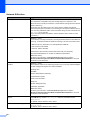
ADF (automatic document feeder)
The document can be placed in the ADF
and scanned one page at a time
automatically.
Brightness
Changing the Brightness makes the whole
image lighter or darker.
Contrast
Setting to compensate for dark or light
documents, by making copies of dark
documents lighter and light documents
darker.
Menu mode
Programming mode for changing your
machine's settings.
OCR (optical character recognition)
ScanSoft™ PaperPort™11SE with OCR
or Presto! PageManager software
application converts an image of text to
text you can edit.
PhotoCapture Center™
Allows you to print digital photos from your
digital camera at high resolution for photo
quality printing.
Colour Enhancement
Adjusts the colour in the image for better
print quality by improving sharpness,
white balance and colour density.
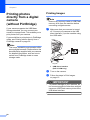
PictBridge
Allows you to print photos directly from
your digital camera at high resolution for
photo quality printing.
Density
Changing the Density makes the whole
image lighter or darker.
Scanning
The process of sending an electronic
image of a paper document into your
computer.
Greyscale
The shades of grey available for copying
and scanning.
Help list
A printout of the complete Menu table that
you can use to program your machine
when you do not have the Basic User's
Guide with you.
Innobella™
Innobella™ is a range of genuine
consumables offered by Brother. For best
quality results Brother recommends
Innobella™ Ink and Paper.
LCD (Liquid Crystal Display)
The display on the machine that shows
interactive messages during On-Screen
Programming.
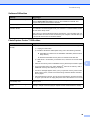
Scan to Media
You can scan a monochrome or colour
document into a memory card or USB
Flash memory drive. Monochrome images
can be in TIFF or PDF file format and
colour images may be in PDF or JPEG file
format.
Temporary settings
You can choose certain options for each
copy without changing the default
settings.
User Settings
A printed report that shows the current
settings of the machine.
WLAN Report
A printed report that shows the result of
the WLAN Connection.
33
B