1
Chapter 6: Managing Devices
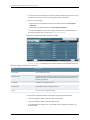
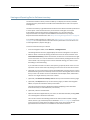
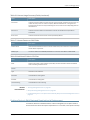
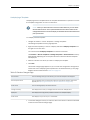
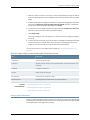
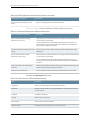
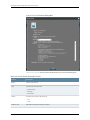
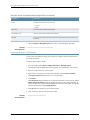
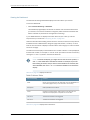
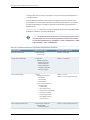
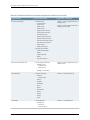
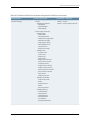
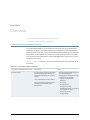
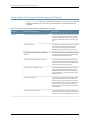
Table 19: Commands Available in the Troubleshoot Device Dialog Box (continued)
Command
Description
Fields Displayed
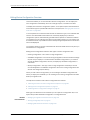
show ospf neighbor
Display information about OSPF
neighbors.
•
Interface Name
•
Neighbor Address
•
OSPF Neighbor State
•
Peer Address
•
Peer State
•
Local AS
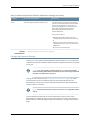
Display standard status
information about all LDP-enabled
interfaces for all routing instances.
•
Interface Name
•
LDP Neighbor Count
Display standard information about
LDP neighbors for all routing
instances.
•
Interface Name
•
Neighbor Address
•
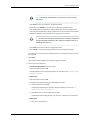
Remaining Time—remaining hold time before the
neighbor expires, in seconds.
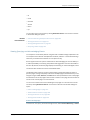
Display information about
Resource Reservation Protocol
(RSVP) sessions.
•
Name
•
LSP State
•
Destination Address
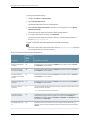
show bgp neighbor
Display information about all BGP
peers.
show ldp interface
show ldp neighbor
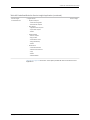
show rsvp session
For complete information about the fields displayed for
the show rsvp session command, see the Junos Software
Routing Protocols and Policies Command Reference.
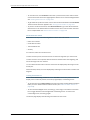
show rsvp interface
Display the status of Resource
Reservation Protocol
(RSVP)-enabled interfaces and
packet statistics.
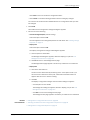
show isis adjacency
Display information about
intermediate
System-to-Intermediate System
(*IS-IS) neighbors.
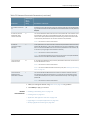
•
Interface Name
•
RSVP Status
•
Static Bandwidth
•
Available Bandwidth
•
Total Reserved Bandwidth
•
Interface Name
•
Adjacency State
•
System Name
For complete information about the fields displayed for
the show isis adjacency command, see the Junos Software
Routing Protocols and Policies Command Reference.
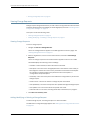
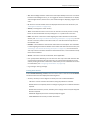
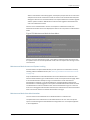
NOTE: For additional information about a device configuration, you can
explicitly run a show command with the extensive option, for example, show
mpls lsp extensive.
Related
Documentation
•
Deploying Device Instances on page 124
•
Troubleshooting N-PE Devices Before Provisioning a Service
Copyright © 2014, Juniper Networks, Inc.
111