1
9.0 Trouble shooting.
9.2
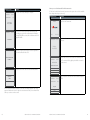
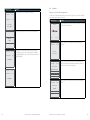
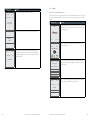
Response Codes
Code
Display
Cause/Action
Hardware Faults
00
APPROVED
• The transaction has been approved
HARDWARE FAULTS ACTION
08
APPROVED
With signature
• The transaction has been approved if the
signature is correct
Y1
APPROVED
• The transaction has been approved
Y3
APPROVED
• The transaction has been approved
01
CALL FOR AUTH
• Unable to obtain electronic authorisation
02
CALL FOR AUTH
• Unable to obtain electronic authorisation
03
INVALID PPID
• Contact Merchant Business Solutions
2.If there is still no response from the card reader power off the
terminal for 10 seconds.
04
CONTACT CARD ISSUER
• Obtain another form of payment
3. Power on the terminal.
05
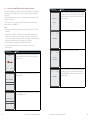
9.1
No response from
the terminal
1.Ensure that the power cable is securely connected to the
terminal.
2. Power off the terminal for 10 seconds.
3. Power on the terminal.
4. Retry the transaction.
5. Call Merchant Business Solutions if the problem persists.
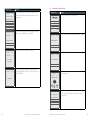
Terminal not
reading cards
1. Re-insert/swipe the card as per instructions in Section 4.0.
• Advise cardholder to contact card issuer
CANNOT PAY
4. Retry the transaction.
• Advise cardholder to contact card issuer
5. Call Merchant Business Solutions if the problem persists.
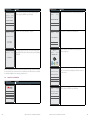
Paper jamming
or
Not feeding
or
Not printing
• Obtain another form of payment
1.Remove the paper roll from the printer to ensure that there is
no paper caught.
2.If the existing paper roll is damaged in any way then replace
this with a new roll.
3. Verify that the printer door is properly latched.
4.Ensure that the battery charge state is not below the critically
low level.
06
CANNOT PAY
• Advise cardholder to contact card issuer
08
APPROVED PENDING
SIGNATURE
12
INVALID TRANSACTION
Call Merchant Business Solutions if the problem persists.
• Retry the transaction selecting a different
account
• If the transaction is declined again, obtain
another form of payment
6. If the problem continues power off the terminal for 10 seconds.
8.Print a sample receipt. This will confirm if the printer is
operational.
• The transaction is approved if the signature is
correct
• The cardholder should now sign the receipt
5. Plug terminal to a power source.
7. Power on the terminal.
• Obtain another form of payment
• Advise cardholder to contact card issuer
13
CANNOT PAY
• Obtain another form of payment
• Advise cardholder to contact card issuer
14
CONTACT CARD ISSUER
• Obtain another form of payment
• Advise cardholder to contact card issuer
30
FORMAT ERR CALL
HELPDESK
• Power the terminal off and on and retry the
transaction
• Contact Merchant Business Solutions whilst
the cardholder is present to confirm if the
transaction has been processed correctly
39
WRONG ACCOUNT
• Retry the transaction, selecting a different
account
• If the transaction is declined again, obtain
another form of payment
• Advise cardholder to contact card issuer
42
WESTPAC EFTPOS 1i TERMINAL USER GUIDE
WESTPAC EFTPOS 1i TERMINAL USER GUIDE
43