1
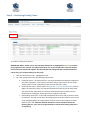
d. Comments – any specific requests your club has for this team. EG: league change
request or any other information that we need to create this team’s fixture;
e. Status - Select ‘Accepted’ or ‘Rejected’ next to each nomination to confirm if each
team will be or won’t be playing in 2015. Please refer below for definitions.
Accepted – club accepts the team allocation by FFV
Rejected – team entry rejected by the club (i.e. no longer competing in 2015)
All clubs should accept their existing team entries and if they want to place a request to
change a league, they must indicate their request in the ‘Comments’ text box provided.
Selecting to ‘Reject’ a team indicates to FFV Competitions, your club wishes to have this
team completely removed from competition in 2015.
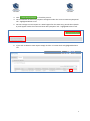
f.
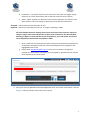
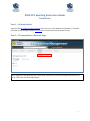
Once a status for the nomination has been selected all accepted and rejected team
nominations will appear under the ‘Processed Competition Entry Requests’ tab –
highlighted below in red.
g. Please email [email protected] if any errors are made in accepting or
rejecting any team entries. The status of any accepted or rejected team can only be
reset manually by Fox Sports Pulse.
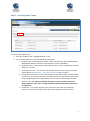
3. Once your club has updated the Accepted/Rejected status for all team nominations, click the
Requests tab to proceed to enter new team requests.
4