1
Step 4 – Entering New Teams
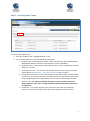
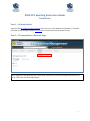
To request new team entries:
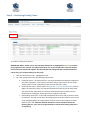
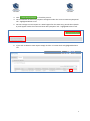
1. Click the ‘Requests’ tab – highlighted above in red.
2. For each new team entry input the following information:
a. Request Type – the competition that this team is entering. EG: Men’s Metropolitan,
Metropolitan Masters, Women’s State Leagues, Juniors or MiniRoos;
b. Preferred Venue – which of your club’s pitches (senior, junior or MiniRoos) the team
will play on in 2015;
c. Preferred Start Time – the time the club would prefer the team to play each week.
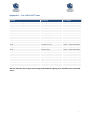
Please adhere to Appendix 1 – List of Kick-Off Times (refer to page 7);
d. Home/Away Preference – if the club would prefer the team to play at home or away
in week one. This will set the home and away sequence for the team but it will need
to be managed against the requirements of other teams in their league and other
teams at your club. Please be advised that due to certain variables within the
fixturing process, your club is not guaranteed to receive home/away preferences
as requested;
e. Comments – any specific requests your club has for this team. EG: placement
request, or any other information that we need to create this team’s fixture;
5