1
Displays
4.4
21
Call Popup Window
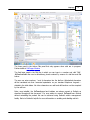
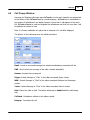
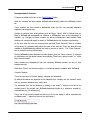
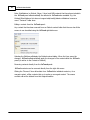
Incoming and Outgoing calls made using InTouch or on the user’s handset are represented
at the bottom of the InTouch Panel by a small call popup. InTouch has no internal limit to
the number of call windows it can display however if more than 2 calls appear at the user’s
Set InTouch will display a scroll bar alongside the call windows such that not more than 2 will
be displayed on screen at once.
Note: If a Pounce notification is in place then a maximum of 1 call will be displayed
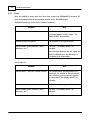
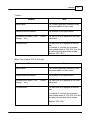
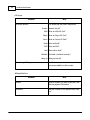
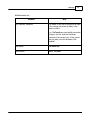
The buttons on the call popup have the following functions:
Email - Launch a new email message to a selected email address associated with the
SMS - Send a short text message to the caller (network dependant)
Answer - Answers the incoming call
Skype - Instant Message or "Chat" to the callers associated Skype contact
MSN - Instant Message or "Chat" to the callers associated Windows Live Messenger
contact
Yahoo - Instant Message or "Chat" to the callers associated Yahoo! contact
Hold - Places the caller on hold. The button will change to Unhold whilst the call is being
held
Call back - Schedules a call back to the callers number
Hang up - Terminates the call
© 2011 AdvaTel Pty. Ltd.