1
3.5
Printing confidential documents
- Secure Print Secure Print is available if the printer has an optional hard disk installed.
Important
• In case the hard disk fails, we recommend you to back up the hard disk data on your computer.
Secure Print
Secure Print is a feature that allows you to send a password-protected document to the
printer. Instead of printing the document immediately, the printer stores it temporarily until
you use the control panel to start printing manually. This feature also can store documents
that are not password protected. By storing frequently-used documents in the printer, you
can print them whenever you want, without having to send them each time from your
computer.
Send
Stored
Order printing from
the control panel.
Note
• Whether or not to delete a Secure Print job after printing it can be specified when you print it from the
control panel. For more information, refer to “Control Panel Operations” (P. 71).
• Secure Print output is not supported when [Disabled] is selected for [Secure Print] on the control panel.
• Password input is always required when the [Minimum Passcode Length] setting for [Items] on the
[Options] tab of the printer’s properties dialog box is [1] or greater.
Printing with Secure Print
The following explains how to print a job with Secure Print.
Configure Secure Print settings on your computer and then send the job to the printer. Next,
perform the required control panel operation to start printing manually.
Computer Operations
The following procedure uses Windows XP WordPad as an example.
Note
• The method for displaying the Properties dialog box varies depending on the application being used.
Refer to the documentation for the application.
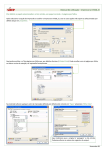
1.
On the [File] menu, select [Print].
2.
Select the printer from the [Select Printer] list box, and then click [Preferences].
3.5 Printing confidential documents - Secure Print -
69