1
Chapter 6, Call Processing Subsystem
Description of the Call Processing Subsystem
Operational Overview
The Test Set simulates a cellular base station by using its hardware and firmware
resources to initiate and maintain a link with a mobile station. Unlike a real base
station, the Test Set has only one transceiver (its signal generator and RF/AF
analyzer) and can support only one mobile station at a time. This means that the
Test Set’s transceiver can be configured as either a control channel or a voice
channel, but not both simultaneously.
To establish a link with a mobile station the Test Set’s transceiver is configured as
a control channel. Once a link has been established and the user wishes to test the
mobile station on a voice channel, the Test Set sends the appropriate information
to the mobile station on the control channel and then automatically re-configures
its transceiver to the voice channel assigned to the mobile station. Once the voice
channel link is terminated, the Test Set automatically re-configures its transceiver
back to being a control channel.
Handoffs are accomplished in a similar manner. When a handoff is initiated while
on a voice channel, the Test Set sends the necessary information to the mobile
station on the current voice channel. At the proper time, the Test Set automatically
re-configures its transceiver to the new voice channel.
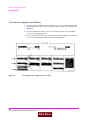
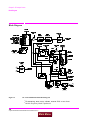
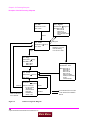
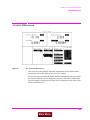
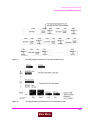
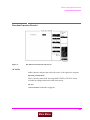
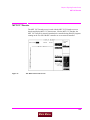
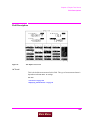
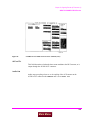
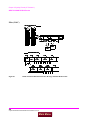
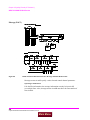
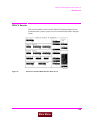
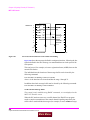
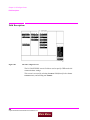
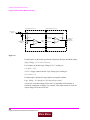
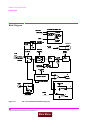
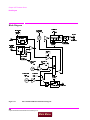
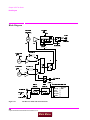
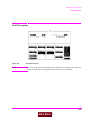
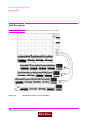
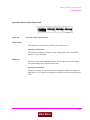
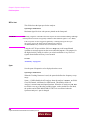
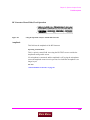
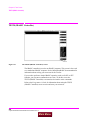
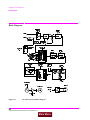
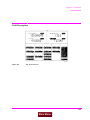
Figure 16, “Call Processing State Diagram,” on page 120 illustrates the primary call
processing functions available in the Call Processing Subsystem. Each box
represents a call processing state and includes the measurement information
available while in that state. Each box also includes the name of the annunciator
on the call processing screen that will be lit while in that call processing state.
Events which trigger transitions between the various states are shown on the
diagram. Events which are initiated from the Test Set are shown in solid lines and
events which are initiated from the mobile station are shown in dashed lines.
119
Main Menu