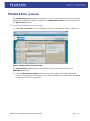
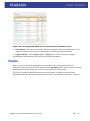
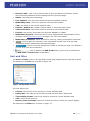
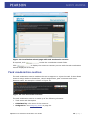
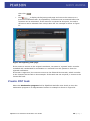
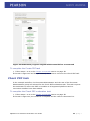
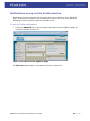
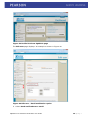
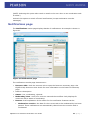
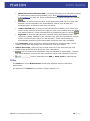
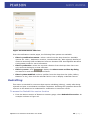
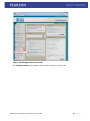
1
EQUELLA ® Workflow Moderation User Guide Version 6.0 Document History Document No. 1 Reviewed 17/10/2012 Finalised 17/10/2012 Published 17/10/2012 October 2012 edition. Information in this document may change without notice. EQUELLA® and its accompanying documentation are furnished under a non-disclosure, evaluation agreement or licence agreement. Copying, storing, transmitting, or otherwise reproducing the software or this document in any form without written permission from Pearson is strictly forbidden. All products, other than EQUELLA®, named in this document are the property of their respective owners. Property of: Pearson Level 1, 11 Elizabeth Street Hobart, Australia, 7000 Copyright © 2012 Pearson Contact [email protected] for matters relating to documentation. EQUELLA 6.0 Workflow Moderation User Guide 2|Page Table of Contents Workflow moderation overview ......................................................................................... 4 The workflow process .................................................................................................... 4 Contribute a resource for moderation .............................................................................. 5 Moderation progress .................................................................................................. 8 Moderation history ..................................................................................................... 9 Moderation queue ....................................................................................................... 11 Tasks ........................................................................................................................ 13 Tasks portlet ........................................................................................................... 14 My tasks page ......................................................................................................... 15 Moderating a task ....................................................................................................... 17 Accessing task moderation ........................................................................................ 17 Task moderation section ........................................................................................... 19 Reject a task ........................................................................................................... 22 Approve a task ........................................................................................................ 24 Workflow example ......................................................................................................... 26 Review Decisions task .............................................................................................. 26 Content review task ................................................................................................. 28 Create PDF task....................................................................................................... 30 Check PDF task ....................................................................................................... 31 Notifications ................................................................................................................. 32 Notifications menu item ............................................................................................ 32 Tasks portlet ........................................................................................................... 33 Notification emails ................................................................................................... 35 Notifications page .................................................................................................... 37 Redrafting .............................................................................................................. 39 Manage tasks ............................................................................................................... 41 Manage tasks privilege ............................................................................................. 41 Manage tasks page .................................................................................................. 41 Sort and filter.......................................................................................................... 45 Task statistics portlet .................................................................................................. 46 Contact Client Support ................................................................................................ 49 EQUELLA 6.0 Workflow Moderation User Guide 3|Page Workflow moderation overview An EQUELLA workflow is a process whereby a new resource must pass through one or more stages of review or moderation before becoming fully available. The process automatically notifies users when they must moderate the resource. A workflow is associated with a collection and can be a simple one-step review or complex multi-step editorial and technical review comprising multiple publication paths. An EQUELLA workflow provides a structure for an institution’s quality assurance processes. Workflows are used to record the outcomes of each moderation task review and move resources through the review process based on these outcomes. Workflows are typically created by the Content Administrator, who designates reviewers (moderators) and determines the structure of the workflow. The purpose of this guide is to explain the moderation and review process and demonstrate to users how to perform workflow moderation tasks. Information on workflow creation for administrators is provided in the EQUELLA Workflow Configuration Guide. Please note that this guide has been developed to best reflect the full capabilities of EQUELLA, and as such may differ from your own installation. Contact the system administrator for access to extra features or to reconfigure your installation. The workflow process A workflow is typically created by a content administrator as an ordered process that has rules for passing a resource from one step to the next. The content administrator designates users, groups or roles to a moderation task to create workflow task moderators. Workflow task moderators can be allocated to multiple moderation tasks with moderator options determined by the workflow creator that can include: rejection, modification, acceptance by one group member or acceptance by all group members. Once the moderators have completed their review the next workflow step is determined by the moderator responses. The workflow history displays the resource’s workflow progress and can be used to view all review events and moderators. Resources can enter moderation when they are: • Contributed—the contributor chooses to submit the resource for moderation and the resource enters the workflow associated with the contributed collection; • Versioned—a new version enters the workflow and on completion archives all other ‘live’ versions; or • Reviewed—a resource that has been ‘live’ for a designated period is checked for currency using its associated workflow. This process can be triggered manually by the resource owner or automatically by the collection definition. The resource remains discoverable during this review. The example ‘Documentation Workflow’ used in this guide is a simple workflow intended to be used for reviewing documents. Information on creating workflows is provided in EQUELLA Workflow Configuration Guide. EQUELLA 6.0 Workflow Moderation User Guide 4|Page Contribute a resource for moderation Resources can only be submitted for moderation using a collection that has an associated workflow. Below is an example resource contribution using the Documentation collection which has an associated ‘Documentation Workflow’ workflow. See EQUELLA Contribution User Guide and EQUELLA Workflow Configuration Guide for more information. To contribute a resource for moderation 1. Open a browser and enter your EQUELLA URL (e.g. http://equella.myinstitution.edu). 2. Log in to EQUELLA. 3. Select Contribute from the navigation menu. An example is shown in Figure 1. Figure 1 Contribute menu item The Contribute page displays. An example is shown in Figure 2. EQUELLA 6.0 Workflow Moderation User Guide 5|Page Figure 2 Contribute page 4. Select the required collection from the list (e.g. Documentation). The contribution wizard displays for the selected collection. An example is shown in Figure 3. Figure 3 Documentation collection wizard page 5. Enter the relevant metadata to complete the About page of the wizard. Add required attachments. See EQUELLA Contribution User Guide for more information. EQUELLA 6.0 Workflow Moderation User Guide 6|Page 6. Click to display the Workflow details page. (NOTE: The Workflow details page is specific to this example, not a standard part of the moderation process. Some wizards would not have a Workflow page, and saving the resource would automatically enter it into the associated moderation workflow.) An example is shown in Figure 4. Figure 4 Documentation collection wizard Workflow details page 7. Select Updated or new document. The Review Decisions section establishes the structure of the workflow and includes a user selector wizard control to determine who will conduct the content review. This section will be completed as the first step of the example workflow. 8. Click . The Save dialog displays, as shown in Figure 5. Figure 5 Save dialog 9. Enter a message if required, then click to enter the resource into the documentation workflow. Saving as a draft will save the resource, but will not enter it into the workflow, nor make it ‘live’. The Resource summary page displays. An example is shown in Figure 6. EQUELLA 6.0 Workflow Moderation User Guide 7|Page Figure 6 Resource summary page The Resource summary page Details section shows the following links relevant to the workflow: • Status: Moderating—the resource has just entered the workflow, and is at the first moderation point. • Moderation progress— select this link to display the Moderation progress page and see a diagrammatic representation of the workflow. See Moderation progress on page 8 for more information. • Moderation history—select this link to open the Moderation history page. See Moderation history on page 9 for more information. Moderation progress The Moderation progress link can be found in the Details section of the Resource summary page, and at the bottom of each result on the My tasks results page (see My tasks page on page 15). Select this link to display the Moderation progress page and see a diagrammatic representation of the workflow. The current step is highlighted in yellow, completed tasks are highlighted in green and a Tasks awaiting moderation list displays at the top of the flow chart with moderator details. An example is shown in Figure 7. EQUELLA 6.0 Workflow Moderation User Guide 8|Page Figure 7 Moderation progress page Moderation history The Moderation history link can be found in the Details section of the Resource summary page. Select this link to display the Moderation history page. A resource’s Moderation history page provides details on any submission, status change and moderation events pertaining to this resource. An example is shown in Figure 8. EQUELLA 6.0 Workflow Moderation User Guide 9|Page Figure 8 Moderation history page The Moderation history page has the following elements: • Event (Submitted for moderation, Went live etc.)—displays a descriptive name of the event. • User—lists the user who performed the event. • Date—shows how much time has passed since this event was performed (approximate). • Show edits checkbox—switches on and off the display of Edit events in the history. • Show all details—switches on and off Edit and Workflow reset events. An example of the Moderation history page with the Show all details checkbox selected is shown in Figure 9. Figure 9 Moderation history with Show all details selected EQUELLA 6.0 Workflow Moderation User Guide 10 | P a g e Moderation queue The Moderation queue enables the logged-in user to view all their resources currently waiting for moderation within a workflow. The Moderation queue link is accessed from the My resources page. To view the Moderation queue page 1. Select My resources from the navigation menu. An example is shown in Figure 10. Figure 10 My resources menu item The My resources page displays. The default on first entering My resources is Published resources. 2. Click the Moderation queue link at the top of the page. The results display all resources belonging to the logged-in user that is currently in a moderation workflow. An example is shown in Figure 11. EQUELLA 6.0 Workflow Moderation User Guide 11 | P a g e Figure 11 My resources - Moderation queue The Moderation queue results page elements include: • Title—the resource title. Select the link to go to the resource summary page. • Status—the resource status on this page with always be either Moderating, Review or Rejected. If the status is Rejected, a Show comment link displays. Select this link to view the rejection comment. • Scheduled—the time in days since the resource entered moderation. Hover the mouse over this value to see the exact time and date. An example is shown in Figure 12 EQUELLA 6.0 Workflow Moderation User Guide 12 | P a g e Figure 12 Date displayed when mouse hovered over Submitted value • Last action—the time in days since the last moderation task was performed on the resource. Hover the mouse over this value to see the exact time and date. • Page controls—click the prev, (x) or next links to move through the pages. See EQUELLA My Resources User Guide for further information. Tasks After a resource has been submitted for moderation, users allocated to the first moderation task will have the task added to their My tasks page. As the resource moves through the workflow steps, the relevant users will receive their tasks. The user is notified of pending tasks by the red number (number of waiting tasks displayed beside the My tasks navigation menu item). An example is shown in Figure 13. EQUELLA 6.0 Workflow Moderation User Guide 13 | P a g e Figure 13 My tasks menu item with pending tasks Clicking on My tasks displays the My tasks page with all pending tasks displayed. See My tasks page on page 15 for more information. (NOTE: Notification of new tasks can be configured to be sent by email to the relevant users. See Notification emails on page 35 for more information.) Tasks portlet The Tasks portlet on the Dashboard page also shows the user the number of pending tasks. An example is shown in Figure 14. Figure 14 Tasks portlet EQUELLA 6.0 Workflow Moderation User Guide 14 | P a g e Each item on the Tasks portlet is a link. In the tasks section of the portlet, selecting any link takes the user to the My tasks page, with the relevant tasks displayed. The Tasks portlet includes notifications. See Notifications on page 32 for more information. Selecting the following task links opens the My tasks page and displays: • All tasks—all tasks waiting for moderation where the logged-in user is set as a moderator. • Tasks assigned to me—tasks waiting for moderation where the task has been assigned to the logged-in user. See Assigning tasks on page 20 for more information. • Tasks assigned to others—tasks where the logged-in user is set as one of a number of possible moderators and another moderator has assigned themselves those tasks. This allows the logged-in user access to the task for review purposes, even though it has been assigned to another moderator. • Unassigned tasks—tasks waiting for moderation where the currently logged-in user is set as a moderator but the tasks haven’t yet been assigned. • Must moderate—tasks waiting for moderation where the currently logged-in user is set as the only moderator. My tasks page The My tasks results page displays the tasks waiting to be moderated. An example is shown in Figure 15. Figure 15 My tasks page The My tasks page elements are: EQUELLA 6.0 Workflow Moderation User Guide 15 | P a g e • Resource title—click on the resource title to open the Resource summary screen with the Task moderation section displayed at the top of the page. • Status—will always be moderating. • Last updated—time since the resourced was last updated (edited). • Moderating since—time since resource entered the workflow. • Task—the name of the current workflow task. • Expires / Expired in—number of days before or since task expiry date. • Time at this task—time since resource arrived at this workflow task. • Priority—the priority of the task (can be LOW, NORMAL or HIGH). • Moderation progress—select this link to see a diagrammatic representation of the workflow. See Moderation progress on page 8 for more information. • Moderation comments—select this link to view any existing moderation comments. • —click to open the resource in the contribution wizard view, with the Task moderation section displayed at the top of the page. • —click to view and change the number of results per page. The default is 10, but 50 or 100 can be selected. • —click to display the RSS Feeds dialog, and choose to subscribe to an RSS Feed or Atom Feed to track tasks. Sort and filter The Sort and Filter boxes on the My tasks results page display options relevant to tasks. An example of the Sort box is shown in Figure 16. Figure 16 My tasks sort box The sort options are: • Priority—the priority of the resource’s current workflow task. • Expiry date—the date set as the last day that the task can be performed. • Time waiting in task—time since resource arrived at current workflow task. • Title—name of the resource. • Reverse order of results—check to reverse the order in which the results display. An example of the Filter box is shown in Figure 17. EQUELLA 6.0 Workflow Moderation User Guide 16 | P a g e Figure 17 My tasks filter box From the My tasks results pages, the following filter options are available: • Filter by assignment—select a value from the drop-down list. Available options are <All>, Assigned to me, Assigned to others and Unassigned. • Filter by collection—select the required collection from the drop-down list to see only resources belonging to that collection. Once a collection is selected, a Filter by workflow tasks drop-down displays. A specific workflow task can then be selected. • Filter by owner—click to display the Select owner to filter by dialog and search for and select the required owner. • Filter by date modified—select a qualifier from the drop-down list (After, Before, Between or On), then click the calendar field or icon to display a calendar control. Moderating a task Accessing task moderation Tasks can be moderated from the resource summary page or the contribution wizard page. Moderating from the contribution wizard page enables the moderator to access all the metadata stored during contribution, depending on workflow configuration. To moderate from the resource summary page 1. From the My tasks results page, click on the relevant resource link. The resource summary page opens with the black task moderation section displayed at the top. An example is shown in Figure 18. EQUELLA 6.0 Workflow Moderation User Guide 17 | P a g e Figure 18 Resource summary page with task moderation section To change to the contribution wizard page if required, click the where the task moderation section is also displayed. button, To moderate from the contribution wizard page 1. From the My tasks results page, click . The contribution wizard page opens with the task moderation section displayed at the top. An example is shown in Figure 19. EQUELLA 6.0 Workflow Moderation User Guide 18 | P a g e Figure 19 Contribution wizard page with task moderation section If required, click to edit the contribution wizard fields. Click to display the resource summary screen with the task moderation section displayed at the top. Task moderation section The task moderation section enables the user to approve or reject the task. It also allows users to assign tasks to themselves, cancel assignments, post comments and move between tasks. An example is shown in Figure 20. Figure 20 Task moderation section The task moderation section is made up of the following elements: • Task name and description • Submitted by—the owner of the resource. • Assigned to—see Assigning tasks on page 20. EQUELLA 6.0 Workflow Moderation User Guide 19 | P a g e • (x) comments | Post a comment—see Posting comments on page 20. • —see Reject a task on page 22. • —see Approve a task on page 24. • —use the <PREV and NEXT> links to move through tasks, or click x of y TASKS link to return to the task list. Assigning tasks If there is a group of moderators selected for a task, of which only one is required to complete the task, a moderator would assign themselves the task. Assigning the task informs the other moderators that someone has already taken ownership of the task. To assign a task 1. Click the assign to me link in the task moderation section. An example is shown in Figure 21. Figure 21 Assign to me link The Assigned to field changes to Me, and the link changed to cancel assignment. An example is shown in Figure 22. Figure 22 Assigned task Select the cancel assignment link to change the status back to unassigned. Posting comments Comments can be added to a task, which can be read by other moderators. This is a great way to share information. EQUELLA 6.0 Workflow Moderation User Guide 20 | P a g e To post a comment 1. Select the Post a comment link in the task moderation section. The Task comments screen displays. An example is shown in Figure 23. Figure 23 Task comments page—post a comment 2. Type the required text in the Enter your comment text box, then click 3. Click the . button to return to the task moderation section. Viewing comments Select the (x) comments link to view existing comments. The task comments page displays. An example is shown in Figure 24. EQUELLA 6.0 Workflow Moderation User Guide 21 | P a g e Figure 24 Task comments page Click to return to the task moderation section. Reject a task A task is rejected when the moderator decides changes need to be made before the resource moves on to the next step of the moderation workflow. When a task is rejected, the moderator enters a moderation comment outlining the reasons for rejection, the resource goes back to the rejection point set in the workflow and a rejection notification is sent to the appropriate users. The user would then edit and redraft the resource to re-enter it into the workflow. See Redrafting on page 39 for more information. To reject a task 1. Click from the task moderation section. The Rejecting task page displays. An example is shown in Figure 25. EQUELLA 6.0 Workflow Moderation User Guide 22 | P a g e Figure 25 Rejecting task page 2. Type the reason for rejection in the Enter your rejection message edit box, then click . (NOTE: this field is mandatory.) The My tasks page displays with a confirmation receipt at the top of the screen. An example is shown in Figure 26. EQUELLA 6.0 Workflow Moderation User Guide 23 | P a g e Figure 26 My tasks with rejection confirmation receipt Approve a task A task is approved once the required moderator or moderators have reviewed the resource and decide it is ready to move to the next stage of the moderation workflow. To approve a task 1. Click from the task moderation section. The Approving task page displays. An example is shown in Figure 27 EQUELLA 6.0 Workflow Moderation User Guide 24 | P a g e Figure 27 Approving task page 2. If relevant, type a message in the Enter an optional approval message text box, then click . The My tasks page displays with a confirmation receipt at the top of the screen. An example is shown in Figure 28. Figure 28 My tasks with approval receipt EQUELLA 6.0 Workflow Moderation User Guide 25 | P a g e Workflow example The following example is based on the example ‘Documentation Workflow’ created in the EQUELLA Workflow Configuration Guide. It is intended to demonstrate how a resource moves through a simple moderation process. Review Decisions task In the example moderation process, the Document Administrator has been selected as the single moderator for the Review Decisions task. This task requires the moderator to select whether the resource requires a content review and an editorial review. If a content review is required, a reviewer must be assigned. The example resource is EQUELLA Workflow User Guide which displays in the Document Administrator’s My tasks page. It will also appear in the Must moderate count in the Tasks portlet. To complete the review decisions task 1. Log in as the Document Administrator. 2. Click the My task navigation menu item. 3. Click the EQUELLA Workflow User Guide displays with the task moderation section. button. The contribution wizard page 4. Go to the Workflow details page of the wizard. (NOTE: The Workflow details page is specific to this example, not a standard part of the moderation process. Some wizards would not have a Workflow page, and saving the resource would automatically enter it into the associated moderation workflow.) An example is shown in Figure 29. EQUELLA 6.0 Workflow Moderation User Guide 26 | P a g e Figure 29 Workflow details wizard page 5. Click to enable the wizard fields. 6. Select Required in the Is a content review required? field. 7. Select the Select a user link to choose the user to moderate the content review. In this example, the Document Administrator will be selected. 8. Select Required in the Is an Editorial Review required? field. An example is shown in Figure 30. EQUELLA 6.0 Workflow Moderation User Guide 27 | P a g e Figure 30 Edited Workflow details page 9. Click . 10. Click . The Approving task page displays. Enter a message if required, then click . The My tasks page is displayed. The resource then moves on to the next task in the workflow. Content review task In this case, because the next task was allocated to the Document Administrator, which is the logged-in user in this example, the EQUELLA Workflow User Guide appears on the My tasks page, with a Task name of Content Review. Select the Moderation progress link for EQUELLA Workflow User Guide to view the moderation progress in a diagrammatic format. An example is shown in Figure 31. EQUELLA 6.0 Workflow Moderation User Guide 28 | P a g e Figure 31 Moderation progress page with Content Review as current task To complete the content review task 1. Click the EQUELLA Workflow User Guide displays with the task moderation section. button. The contribution wizard page 2. In the task moderation section, select the assign to me link to assign to task to the Document Administrator (logged-in user). An example is shown in Figure 32. Figure 32 Assigned task (NOTE: The task does not have to be assigned to a moderator to be approved or rejected, but assigning tasks shows who has taken ownership of that task.) 3. Review the attachments and resource metadata, editing if required. 4. Either: Click to move the resource to the next moderation task, in this case Editorial review. The Approving task page displays. Enter a message, if required, EQUELLA 6.0 Workflow Moderation User Guide 29 | P a g e then click OR . Click to display the Rejecting task page and return the resource to a previous moderation task. An explanatory comment must be entered before the rejection can be submitted. If the resource is rejected at this point, the task it returns to can be selected from a drop-down list. An example is shown in Figure 33. Figure 33 Rejecting task page If the resource returns to the original contributor, its status is ‘rejected’ and it must be redrafted and resubmitted for moderation or removed from the system to clear the rejected notification. If the task is approved, the resource moves to the Editorial Review task, which is similar to the Content Review task in this example. If this task was not required, it moves to the Create PDF task. Create PDF task Select the Moderation progress link for EQUELLA Workflow User Guide to view the moderation progress in a diagrammatic format. An example is shown in Figure 34. EQUELLA 6.0 Workflow Moderation User Guide 30 | P a g e Figure 34 Moderation progress diagram with Create PDF as current task To complete the Create PDF task 1. Follow steps 1 to 4 in the Content review task section on page 28. If the task is approved and the pdf created, the resource moves to the Check PDF task. Check PDF task In the example workflow, the Document Administrator and the rest of the Document Administration group are selected for the Check PDF moderation task. This task requires the moderator to ensure the PDF is viewable on all supported platforms and no conversion artefacts have been added. To complete the Check PDF moderation task 1. Follow steps 1 to 4 in the Content review task section on page 28. If the task is approved, the workflow is complete and the resource becomes live. EQUELLA 6.0 Workflow Moderation User Guide 31 | P a g e Notifications Notifications are messages used to notify users of an event. These messages are related to a moderation workflow, for example, when a moderation task becomes overdue, or is rejected. Notifications can also be sent when a resource becomes ‘Live’, which lets the user know that the resource is now available for use. Rejection notifications are immediate, and can be viewed within minutes of the resource being rejected, whereas other types of notifications are processed as a timed event (for example, overnight), so will not display until after that timed event has run. There are a number of ways that users can choose to be alerted to notifications. Emails can be sent, RSS and ATOM feeds can be set up as well as the Notifications menu item on the EQUELLA navigation bar. Notifications menu item The user is alerted to existing notifications from the red number (number of notifications) displayed beside the Notifications navigation menu item. An example is shown in Figure 35. Figure 35 Notifications navigation menu item Selecting Notifications displays the Notifications page, with all notifications displayed. See Notifications page on page 37 for more information. EQUELLA 6.0 Workflow Moderation User Guide 32 | P a g e Tasks portlet The Tasks portlet on the Dashboard page also shows the user the number of notifications, broken down by type. An example is shown in Figure 36. Figure 36 Tasks portlet—notifications Each item in the notifications portlet is a link. In the notifications section of the portlet, selecting any link takes the user to the Notifications page, with the relevant tasks displayed. See Notifications page on page 37 for more information. Selecting the following notification links opens the Notifications page and displays: • All notifications—all notifications. • Resources which the owner notified you of going LIVE—all resources where the owner has used the Share with others function to set a notification to alert the logged-in user when the resource becomes available (‘Live’). (See EQUELLA My Resources User Guide for more information on this function.) These resources have a ‘reason’ of ‘Watched resource became LIVE’ on the notifications results page. • Resources that were rejected—resources that have been rejected during moderation. These resources have a ‘reason’ of ‘Rejected’ on the notifications results page. • Resources that contain bad URLs—resources that contain a URL that is not valid. These resources have a ‘reason’ of ‘Bad URL’ on the notifications results page. • Resources which went LIVE—resources that have recently become available (Live) that belong in a collection where notifications have been set up via the Profile function. (See Notifications set up via the Profile function on page 35 for more information.) These resources have a ‘reason’ of ‘Watched resource became LIVE’ on the notifications results page. • Resources that are overdue to be moderated—resources that have passed their completed by date. These resources have a ‘reason’ of ‘Moderation overdue’ on the notifications results page. EQUELLA 6.0 Workflow Moderation User Guide 33 | P a g e Notifications set up via the Profile function Notifications can be configured via the Profile function accessible from any EQUELLA page. Collections are selected, and a notification is sent to the user when resources belonging to those collections become available (Live). To set up Profile notifications 1. Select the PROFILE link on the top right-hand side of the any EQUELLA page. An example is shown in Figure 37. Figure 37 Profile link from EQUELLA page The Edit user page displays. An example is shown in Figure 38. EQUELLA 6.0 Workflow Moderation User Guide 34 | P a g e Figure 38 Edit user page 2. In the Notifications section, use the arrows to select the required collection or collections. Use: to select all collections to select the highlighted collection to deselect the highlighted collection to deselect all collections 3. Click . A notification is sent whenever a resource belonging to the selected collection or collections becomes available (Live). Notification emails Users can configure their profiles so emails are sent to alert the user to new notifications. To set up email notifications 1. Select the PROFILE link on the top right-hand side of the any EQUELLA page. An example is shown in Figure 39. EQUELLA 6.0 Workflow Moderation User Guide 35 | P a g e Figure 39 Profile link from EQUELLA page The Edit user page displays. An example is shown in Figure 40. Figure 40 Edit user - Email notification option 2. Select Send notifications to email. EQUELLA 6.0 Workflow Moderation User Guide 36 | P a g e (NOTE: Selecting this option also sends an email to the user when a new moderation task is added.) Uncheck this option to switch off email notifications (except moderation overdue messages). Notifications page The Notifications results page displays details of notifications. An example is shown in Figure 41. Figure 41 Notifications page The notifications results page elements are: • Resource title—click the resource title to open the Resource summary page. See EQUELLA My Resources User Guide for more information on the Resource summary page. • Resource description • Status—live, moderating, rejected. • Moderating since—time since resource entered the workflow. Only displays for resources with a status of moderating. • Reason—brief explanation of the reason for the notification. Reasons can be: Moderation overdue—the date for the current task to be moderated by has been passed. These notifications are automatically cleared once the overdue task is moderated. EQUELLA 6.0 Workflow Moderation User Guide 37 | P a g e Watched resource became LIVE—a resource belonging to a collection selected for notifications has become available (Live). See Notifications set up via the Profile function on page 35. These notifications are cleared manually by clicking . Bad URL—a resource that contains a URL attachment that has an invalid web address. These notifications are automatically cleared once all bad URL attachments for a resource have been corrected. Owner notified you—a resource that has become available (Live) where the owner of the resource selected the logged-in user to be notified using the Share with others function. These notifications are cleared manually by clicking . Rejected—a resource that has been rejected during a moderation step. The resource is usually updated by the relevant user, then the ‘Redraft this version’ action is used to enter it back into the workflow. These notifications are automatically cleared once the associated resources have been redrafted. • (x) comments—select this link to display the Resource summary page, where existing comments and ratings can be viewed or new ones added. • Add to favourites—select this link to add resource to the Favourites list. See EQUELLA My Resources User Guide for more information. • —click to remove the notification from the Nofications results page. Typically this would be done once the user has noted the reason and viewed the resource. • —click to subscribe to an RSS or Atom Feed for notifications. Filter The Filter box on the Notifications results page displays options relevant to notifications. An example of the Filter box is shown in Figure 42Figure 17. EQUELLA 6.0 Workflow Moderation User Guide 38 | P a g e Figure 42 Notifications filter box From the notifications results pages, the following filter options are available: • Filter by notification reason—select a value from the drop-down list. Available options are <ALL>, Moderation overdue, Contains bad URL, Was rejected, Notified of resource becoming LIVE and Watched resource became LIVE. See EQUELLA Workflow Configuration Guide for more information. • Filter by collection—select the required collection from the drop-down list to see only resources belonging to that collection. • Filter by owner—click to display the Select owner to filter by dialog and search for and select the required owner. • Filter by date modified—select a qualifier from the drop-down list (After, Before, Between or On), then click the calendar field or icon to display a calendar control. Redrafting This action is intended for resources that require redrafting (editing), usually after being rejected and prior to moderation workflow completion. Selecting this operation allows the resource to be edited and re-submitted for moderation or saved as a draft. To access the Redraft this version function 1. From the Actions section of Resource summary page, select Redraft this version. An example is shown in Figure 43. EQUELLA 6.0 Workflow Moderation User Guide 39 | P a g e Figure 43 Resource summary page - Redraft this version The Editing page displays. 2. Edit the resource, then click is shown in Figure 44. . The Save dialog displays. An example Figure 44 Save dialog with message 3. Enter a message if relevant, then click . The resource re-enters the workflow at the appropriate moderation task. EQUELLA 6.0 Workflow Moderation User Guide 40 | P a g e Manage tasks There may be many resources at various stages of a workflow at any one time within the EQUELLA system, and the Manage tasks function and Task statistics portlet allow administrators to view the progress of these resources through the workflow. Information, such as moderator details, length of time at a particular task and at what point in the workflow resources are getting held up, can be easily detected using these functions. Manage tasks privilege The privilege associated with access to the Manage task function is MANAGE_WORKFLOW. Granting this privilege to a user, group or role will display the Manage tasks menu item in the left-hand navigation bar. Manage tasks page The Manage tasks page displays all workflow tasks. Content and system administrators would typically be granted privileges to access this function to view moderation progress. To open the Manage tasks page 1. Log in to EQUELLA as an administrator. The EQUELLA Dashboard page displays. 2. Select Manage tasks from the left-hand navigation menu. An example is shown in Figure 45. EQUELLA 6.0 Workflow Moderation User Guide 41 | P a g e Figure 45 Manage tasks menu item The Manage tasks page displays. An example is shown in Figure 46. EQUELLA 6.0 Workflow Moderation User Guide 42 | P a g e Figure 46 Manage tasks page The Manage tasks page has the Search box at the top, where criteria are selected, and the results list displayed below. The search box has a search text box to enter keyword searches, and a Within dropdown list. Searching can be refined by selecting All workflows or a specific workflow (e.g. Document Review) from the Within drop-down list. An example is shown in Figure 47. Figure 47 Manage tasks Within drop-down list (NOTE: If a workflow is selected from the Within drop-down box, an extra filter displays in the Filter box. See Sort and filter on page 45 for more information.) Each task on the Manage tasks results page displays the following elements: EQUELLA 6.0 Workflow Moderation User Guide 43 | P a g e • Title—the title of the resource in moderation. Select this link to open the Moderation progress page. • Description—the resource description. • Status—the current status of the resource, usually moderating or rejected. • Last updated—time since the resource was last updated. • Moderating since—time since the resource entered the workflow. • Workflow—the name of the associated moderation workflow. • Task—the name of the current workflow task. • Time at this task—time since resource arrived at this workflow task. • Priority—the priority of the task (can be LOW, NORMAL or HIGH). Each task can also have the following links: • View item summary—select to display the Resource summary page. • (x) remaining moderators—select to open the Moderators dialog, which lists moderators who have not yet completed the current task. An example is shown in Figure 48. Figure 48 Moderators dialog (NOTE: If multiple moderators are selected for a task, but only one needs to complete it, all the potential moderators display in the Moderators dialog, even if the task has been assigned to one of them.) • (x) moderation comment(s) —select to open the Moderation comments dialog, which displays any existing moderation comments. An example is shown in Figure 49. Figure 49 Moderation comments dialog EQUELLA 6.0 Workflow Moderation User Guide 44 | P a g e Sort and filter The Sort and Filter boxes on the Manage tasks results page displays options relevant to managing tasks. An example of the Sort box is shown in Figure 50. Figure 50 Manage tasks sort box The sort options are: • Priority—the priority of the resource’s current workflow task (HIGH, NORMAL or LOW). • Expiry date—the date set as the last day that the task should be performed by. • Time waiting in task—time since resource arrived at current workflow task. • Title—name of the resource. An example of the Filter box is shown in Figure 51. Figure 51 Manage tasks filter box From the Manage tasks results pages, the following filter option is available: • Filter by moderator—click to display the Choose moderator to filter by and search for and select the required user. If a workflow has been selected from the Within drop-down, an additional filter, Filter by workflow tasks displays. An example is shown in Figure 52. EQUELLA 6.0 Workflow Moderation User Guide 45 | P a g e Figure 52 Filter box when workflow selected in Within drop-down • Filter by workflow tasks—displays the tasks belonging to the selected workflow. Select the required task from the drop-down list. Task statistics portlet A Tasks statistics portlet can be added to an administrator’s Dashboard to display basic information relating to the number of tasks in a workflow over a weekly or monthly time period. To create a Task statistics portlet 1. From the Dashboard page, click the screen. . The screen options display at the top of 2. Click the Tasks statistics link. An example is shown in Figure 53. EQUELLA 6.0 Workflow Moderation User Guide 46 | P a g e Figure 53 Screen options—Task statistics The Create portlet page displays, as shown in Figure 54. Figure 54 Create portlet page 3. Enter a Title (defaults to Task statistics). 4. Select a Weekly or Monthly Default trend, then click . The new portlet displays on the Dashboard page. An example is shown in Figure 55. EQUELLA 6.0 Workflow Moderation User Guide 47 | P a g e Figure 55 Dashboard with Task statistics portlet The tasks statistics portlet lists tasks where there are current resources waiting to be moderated. An example is shown in Figure 56. Figure 56 Task statistics portlet This portlet displays the top five tasks with waiting items, ordered by number of waiting items. (In the example above, there are only four tasks with waiting resources hence it only shows four rows.) The Task statistics portlet elements include: EQUELLA 6.0 Workflow Moderation User Guide 48 | P a g e • Task—the name of the workflow task. Select the links to open the Manage tasks page with filters set to display the results at the selected workflow task in the appropriate workflow. • Waiting—the number of resources currently awaiting moderation at that task. • Trend—the number of resources that were awaiting moderation at this task at the same time the previous week or month, which is valuable for comparisons. • Workflow drop-down—select a specific workflow from the drop-down list to limit the results. When a workflow is selected, a Total resources in workflow link displays. An example is shown in Figure 57. Figure 57 Task statistics with selected workflow Select this link to display the Manage resource page, with the relevant resources listed as results. • Weekly | Monthly—select the links to change the trend between weekly and monthly. (NOTE: Users will need the ‘MANAGE_WORKFLOW’ privilege granted to them to see any of the information in the Tasks Statistics portlet.) Contact Client Support We are always happy to help. If your organisation has a support agreement with EQUELLA then help is available at http://support.equella.com/. EQUELLA 6.0 Workflow Moderation User Guide 49 | P a g e