1
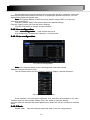
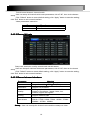
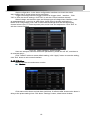
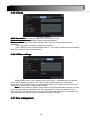
Pic 2-27 Network configuration
HTTP port
port:the default value is 80. If the value changed, user needs to add the port
number when typing IP address in IE address blank. IE set HTTP port to 82, IP address:
http://192.168.0.25 , user needs to input that address: http://192.168.0.25:82 into IE
browser.
Server port
port: data and image communication port NO. After selecting the "Obtain an
IP address automatically", the device will distribute IP address, subnet mask, and gateway
IP and DNS server.
Enable PPPoE to directly connect the DVR to internet via ADSL and then input the
user name and password; click TEST button to test the effectiveness of the relevant
information.
Click “Default” button to resort default setting;click “Apply” button to save the setting;
Click “Exit” button to exit current interface.
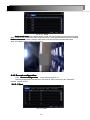
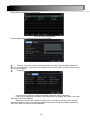
2.4.6.2 Network Sub stream
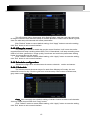
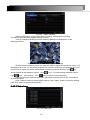
Pic 2-28 Network Sub stream
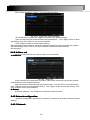
select fps, resolution, quality.,user can also setup all channels with same parameters.
click “Apply” button to save the setting; click “Exit” button to exit current interface.
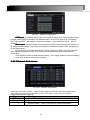
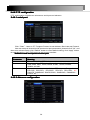
network configuration-network.
Parameter
Meaning
FPS
Range from: 1-25
Resolution
Support CIF,QCIF
Quality
The higher the value is, the clearer the record image. Six
options: lowest, lower, low, medium, higher and highest.
21