1
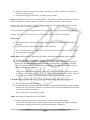
b) Always off: When recording video, audio will not be recorded in this setting. There will be a red
microphone symbol with a yellow line across it to show that audio is not being recorded.
To turn audio on while in this setting, push joystick to the right to turn audio recording on, the
symbol will disappear to show that audio is being recorded.
To turn audio off again, push joystick to the right, the symbol will appear and audio recording
will be turned off.
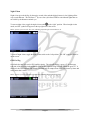
Below: picture of screen with “audio off” icon
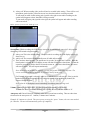
Screen timer: While recording, the LCD display screen can be automatically turned off. Only applied
when using OTR switch to begin recording.
a) Always on: This is the default setting. Whenever unit is recording, the LCD display screen will
always be on.
b) Always off: The screen will automatically turn off while still recording.
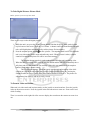
c) There are three timed options. The options are 10 seconds, 30 seconds and 1 minute. When the
timed option is selected, the LCD display screen will shut off after the selected time. To turn the
screen on, press the joystick to the left to turn the screen on. After the selected time, the screen
will turn off again. This will repeat continuously.
Note: the screen can be turned on again by pressing the joystick to the left at any time. The
screen can also be turned off by press the joystick to the left at any time.
For Example: 10 seconds is selected. After 10 seconds the screen will turn off. If the joystick is
pushed to the left, the screen will turn on. After 10 seconds of not pushing any buttons, the
screen will turn off again.
Note: when the LCD display screen is turned off, less battery power is being used.
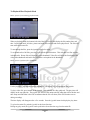
Volume: sound level on button clicks, joystick selections and powering on/off the unit.
To make sure there is no sound when the unit is power on or off, turn the volume to “0”.
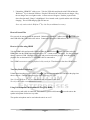
Auto power off: Unit will shut off completely when unit is on and not recording. There are three time
selections for the auto power off. 1 minute, 3 minutes and 5 minutes.
Example: If 3 minutes is selected. The unit is power on using the “power” button, the unit is not touched
for 3 minutes. The unit will automatically power off completely.
16