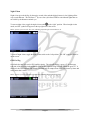
1
2. To power off the unit, press and hold the “power” button for two seconds. This will power off
the unit completely.
Note: Always make sure the OTR button is in the up position when the unit is not in use. This
assures that the unit will always be ready to go.
To Start Recording Video: Video Mode
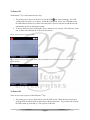
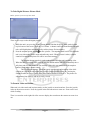
Below: picture of screen in video mode
There are three ways to start recording video on the Wolfcom 3rd Eye.
1. The primary efficient practical way to start recording while wearing the unit is to switch the OTR
button “down”. This will turn on the red LED light next to the OTR button will turn on, the
screen will turn on, a chime will sound and the unit will automatically power on and begin
recording.
2. Press and hold the “power” button for two seconds. The unit will power on and a chime will
sound. Press the “rec” button. The unit will have a red flashing dot on the top left corner of the
LCD screen.
3. With the OTR switch on in the “down” position, press and hold the “power” button for two
seconds. This will power on the unit, the red LED will turn on, the screen will turn on and the
unit will have a red flashing dot on the top left corner of the LCD screen.
When video is being recorded, the red LED light next to the OTR switch will be on and a red flashing dot
will be blinking on the top left corner of the LCD screen. On default, the unit will automatically be
recording audio.
6