1
Contents
............................................................................................................................................................................................................. 2
........................................................................................................................................................................................................... 2
Power Input ...................................................................................................................................................................................... 2
Power ................................................................................................................................................................................................ 2
Outputs ............................................................................................................................................................................................ 3
.............................................................................................................................................................................................................. 3
THE PI36 ............................................................................................................................................................................................. 3
it works............................................................................................................................................................................................. 3
.......................................................................................................................................................................................................... 3
.......................................................................................................................................................................................................... 3
Output configuration within Falcon Player (FPP) ............................................................................................................................ 3
configuration within Falcon Player (FPP) ....................................................................................................................................... 3
Mode ................................................................................................................................................................................................ 3
STUFF .................................................................................................................................................................................................. 4
THE PI ................................................................................................................................................................................................ 4
OTHER STUFF................................................................................................................................................................................... 4
............................................................................................................................................................................................................. 5
EXAMPLES ........................................................................................................................................................................................ 6
.............................................................................................................................................................................................................. 7
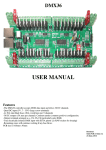
The PI36 is a 36 channel DC dimmer board that also functions as a dock for a Raspberry PI and has a real time
clock on it to allow shows to be scheduled with Player (Falcon Pi Player, FPP). The PI36 requires a Raspberry
PI plugged in with FPP installed to operate. In conjunction with Falcon Player the PI36 can operate as a
standalone 36 channel sequence playback device or as a 36 channel E1.31 DC dimmer. A USB dongle can be
connected to the PI and a DMX universe generated from it. A wifi dongle (WIPI or similar) can be connected to
the PI for wireless access. The Ethernet connection of the PI can stream out dozens of universes of E1.31 data. If
additional DC channels are required then a 2801DC15 or 2801DC30 board can be connected.
Connections
CN1
The connector CN1 on the PI36 connects to a Raspberry Pi via a 26 or 40 way ribbon cable depending on the PI model.
This is the only connection between the 2 boards and the correct cable type should be installed. If you have a later
model PI it will likely have the 40 way connector. On early PIs it was a 26 way connector. The ribbon cable should be
connected to the PI36, then the PI and then the PI attached to the 4 standoffs on the PI36. There are 6 possible mounting
points depending on the 2 common PI footprints.
DC Power Input
The 2 large 2 way green connector is the DC inputs from your power supply. The +V terminal is positive and the GND
terminal is negative or ground. Any DC voltage in the range of 5V to 35V can be used. There is a standard ATO
(automotive) fuse adjacent to the power terminals. The board comes supplied with 10A fuses fitted. Fuses up to 30A
can be used. It is recommended changing the fuse to the closest size for the total current that the board is controlling.
5V Power
If both DC dimmer banks are running off 5V then it is also necessary to connect the 5V to the CN2 5V terminal. This
will give the control circuitry the 5V it requires as the regulator is unable to supply 5V if the incoming supply is 5V to
the DC dimmer connectors. The 5V must be 5V +/- 0.1V. Too low and the circuitry on the PI may not work and too
high and damage may result to the PI36 and/or the PI. There is protection on the PI36 but it is limited in the abuse that it
will protect against. If the DC power inputs aren’t used then 5V power should be connected to CN2. It is also possible
to use CN2 as a low current source of 5V power. No more than 100mA should be sourced from this terminal if it is used
as an output.
2