1
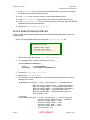
BAM User Guide June 2004 BAM Software Release 2.0 8. Add the following lines to the file:
[mysql]
Description=MySQL for canopy
Driver=MySQL
Trace=Yes
TraceFile=/tmp/sql.log
User=canopy
Host=localhost (This can be a remote server)
Port=
Socket=
Database=04004SSE
9. Save and close this file odbc.ini.
10. Enter odbcinst -I -s -f /usr/local/etc/odbc.ini.
RESULT: The Data Source Name (DSN) of the driver is set up.
11. Open the file /etc/canopy/canopyapi.xml.
12. Find the string <host xsi:type="xsd:string">localhost</host>.
13. Replace localhost with mysql.
14. Find the string <type xsi:type="xsd:string">mysql</type>.
15. Replace mysql with odbc.
RESULT: The BAM server is configured for the engined process of BAM.
16. Find the following block of lines:
<radius xsi:type="canopy:Radius">
<enabled xsi:type="xsd:boolean">trueorfalse</enabled>
<primaryServer xsi:type="xsd:string">localhost</primaryServer>
<secondaryServer
xsi:type="xsd:string">localhost</secondaryServer>
<portAlias xsi:type="xsd:string">radius</portAlias>
<sharedSecret
xsi:type="xsd:string">unsafe_password</sharedSecret>
<maxRetries xsi:type="xsd:int">3</maxRetries>
<timeOut xsi:type="xsd:int">3</timeOut>
<networkInterface xsi:type="xsd:string">eth0</networkInterface>
<canopyUserPassword
xsi:type="xsd:string">please_change_me</canopyUserPassword>
</radius>
17. In the second line of this block, ensure that trueorfalse is changed to false.
RESULT: BAM disables RADIUS authentication.
18. Save the file /etc/canopy/canopyapi.xml.
19. Open the file /usr/local/canopy/include/canopy.xml.
20. Find the following block of lines:
<databases>
<database host="localhost" name="GUInamestring" type="GUItypestring" />
</databases>
21. Change GUInamestring to 04004SSE.
Issue 5 BETA DRAFT Page 56 of 71