1
BAM User Guide •
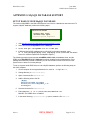
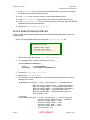
June 2004 BAM Software Release 2.0 show processlist \G
RESULT: A process should list the User and Host entries that match the replication user
name and host IP address of the other server.
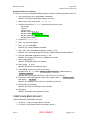
Replication Removal on Server 1
The following procedures are provided for the case where you want to disable the replication
feature. To begin the removal of MySQL database replication, perform the following steps on
Server 1:
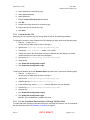
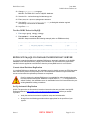
1. At the shell prompt, enter mysqladmin shutdown.
RESULT: The MySQL administrator program is closed.
2. With an editor utility, open the file /etc/my.cnf.
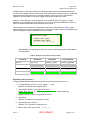
3. Under the section titled [mysqld], delete the following seven lines:
port=3306
log-bin
server-id=1
master-host=10.0.0.2
master-user=server_1_repl
master-password=server_1_passwd
master-port=3306
4. Save the file /etc/my.cnf.
5. Enter cd /var/lib/mysql.
6. Enter rm *-bin.*.
RESULT: The replication bin files are removed.
7. Enter rm master.info.
RESULT: The replication master info file is removed.
8. Enter rm 04004SSE-snapshot-server_1.tar.
RESULT: The tarred copy of the Canopy database is removed.
9. Enter safe_mysqld &.
RESULT: The MySQL program is restarted.
10. Enter mysql -u root.
RESULT: The MySQL client program starts.
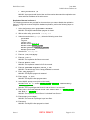
11. At the MySQL prompt, enter (with no line break)
revoke file on *.* from [email protected] identified by
‘server_2_passwd’;.
RESULT: The file privileges that Server 2 had on Server 1 are removed.
12. Enter (with no line break) delete from user where User = 'server_2_repl'
and Host = '10.0.0.2';.
RESULT: The replication user of Server 2 is deleted from Server 1.
13. Enter flush privileges;.
RESULT: The removal of privileges is put into effect.
14. Enter exit
RESULT: The MySQL client program is closed.
Issue 5 BETA DRAFT Page 61 of 71