1
Contents
1
2
3
4
5
Introduction ................................................................. 2
Supplied Contents....................................................... 3
System Requirements ................................................ 3
Brief Description and Characteristics.......................... 3
Technical Specifications
5.1 Overview ................................................................... 4
5.2 Transfer Modes: Resolution/Bit per Sample ............. 4
6
Hardware Installation .................................................. 4
7
Software Installation
™
7.1 Windows 95 ............................................................ 5
™
7.2 Windows NT ........................................................... 5
™
7.3 Power PC (MacOS ) ................................................ 5
8
Operation and Usage
8.1 Connections .............................................................. 6
8.2 Playback.................................................................... 6
8.3 Record....................................................................... 7
8.4 Record while Play...................................................... 8
9
Configurating the DIGI32
9.1 General ..................................................................... 9
™
9.2 Windows 95 .......................................................... 10
™
9.3 Windows NT ......................................................... 10
™
9.4 MacOS .................................................................. 10
10
Using more than one DIGI32
10.1 General ................................................................. 10
10.2 Synchronisation..................................................... 11
10.3 Varispeed .............................................................. 11
11
Special Features of the Digital Output ...................... 12
12
Troubleshooting ........................................................ 12
13
Installation Problems with older PC .......................... 13
14
Soft- and Hardware Compatibility ............................. 14
15
TECH INFO .............................................................. 14
16
Warranty ................................................................... 15
1. Introduction
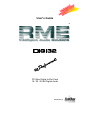
DIGI32 allows the recording of digital audio from CD, DAT, sampler or other digital sources
directly into your computer. The installation is made very simple, even for the inexperienced
user, thanks to the most up to date Plug & Play technology. The support of up to 24 bit audio
resolution and direct Hi-Speed 32 bit data transfer puts DIGI32 at the top of the range of in™
™
™
terface cards available to date. Drivers for Windows 95 , Windows NT and MacOS allow a
problem-free, comfortable and powerful usage on computer systems with PCI bus technology.
Our Hi-Performance philosophy guarantees full system performance in all possible functions not
carried out by the driver (and therefore from the computer´s CPU) but carried out by the
DIGI32 hardware.
User's Guide DIGI32 © RME
2