1
Contents
Introduction................................................................................3
Chapter 1 Set up .......................................................................5
1.1 Unpacking ............................................................................................................ 5
1.2 Printer Components ........................................................................................... 5
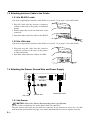
1.3 Attaching Interface Cable to the Printer ........................................................... 6
1.3.1 Via RS-232C cable .....................................................................................................6
1.3.2 Via LAN cable .............................................................................................................6
1.4 Attaching the Drawer, Ground Wire and Power Supply ................................... 6
1.4.1 the Drawer .................................................................................................................6
1.4.2 Ground Wire ...............................................................................................................7
1.4.3 Power Supply .............................................................................................................7
1.5 Self Test................................................................................................................ 7
1.6 DHCP server recognition ................................................................................... 7
Chapter 2 Operation .................................................................8
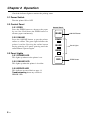
2.1 Power Switch ....................................................................................................... 8
2.2 Control Panel ....................................................................................................... 8
2.2.1 FEED ..........................................................................................................................8
2.2.2 ONLINE ......................................................................................................................8
2.3 Panel Lights ......................................................................................................... 8
2.3.1 POWER LED ..............................................................................................................8
2.3.2 ONLINE LED ..............................................................................................................8
2.3.3 ERROR LED ..............................................................................................................8
Chapter 3 Maintenance & Troubleshooting ............................9
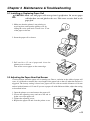
3.1 Installing or Replacing Paper Roll ..................................................................... 9
3.2 Adjusting the Paper Near End Sensor .............................................................. 9
3.3 Paper Jam .......................................................................................................... 10
3.4 Troubleshooting ................................................................................................ 11
Chapter 4 Important Safety Information ...............................12
Chapter 5 Specification..........................................................13
5.1 Printing Specification ....................................................................................... 13
5.2 Paper Specification ........................................................................................... 14
5.3 Interface Specification...................................................................................... 14
5.3.1 RS-232C Interface Specification ..............................................................................14
5.3.2 RS-232C Interface Connection Example .................................................................14
5.3.3 LAN Connector .........................................................................................................15
5.3.4 Power Supply Connector ..........................................................................................15
5.3.5 Drawer Kick-out Connector ......................................................................................16
APPENDIX Dip Switch/ ID setting ..........................................17
A.1 Setting & Checking the Dip Switchs ............................................................... 17
A.1.1 Dip switch 1 setting ..................................................................................................17
A.1.2 Dip switch 2 setting ..................................................................................................17
A.2 Setting ID or IP number ................................................................................... 19
A.2.1 ID number setting.....................................................................................................19
A.2.2 IP number setting .....................................................................................................19
2—