1
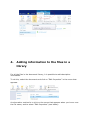
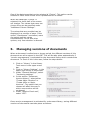
1. From the menu that can be
opened by clicking on the
filename, select "Check Out".
Team members can now see that
the document is being edited.
The icon that represents the file
will change.
2. Download the file and edit the
document.
3. upload the file back into the
document library. If the name of
the document has not been
changed, the new version will be
saved as a new version of the
same document.
4. Previous versions of the file can
be opened by selecting "Version
History" from the pull-down
menu under the file name.
N.B. When Office 2010 is installed on your computer, it also possible to edit the
document online without having to download the document first.
6.
Deleting a document library
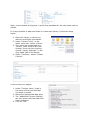
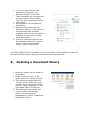
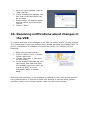
1. Open the Library which needs to
be deleted.
2. Under "Library Tools", in the
upper menu bar, select "Library"
3. The menu bar underneath the
"Library Tools" section will now
change. From this list of options,
choose "Library Settings", in the
right hand side of the screen.
4. The setting for the Library will
now be visible on the page.
Under "Permissions and
Management", select "Delete this
Document Library".