1
8.
Authorising Users
There are three default permission levels: (1) Read, (2) Contribute and (3) Full
control. Full Control is the highest permission level. Users with these permission
can edit both the contents of the VRE and the overall structure of the VRE
(creation of new subsites, document libraries, etc.). In addition, there are also
three default user groups in the VRE: “Visitors”, “Members” and “Owners”. The
three permission levels that were mentioned have been assigned to these three
groups respectively.
When new persons need to be authorised in the site, it is usually most efficient to
add them to one of the existing groups.
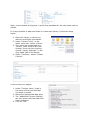
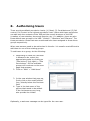
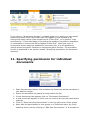
To add users to a group, do the following:
1. Depending on what the new user
is allowed to do, select the
appropriate group by clicking on
“Site actions” (top right) > “Site
Permissions”. All the available
groups will be shown on the new
page that appears.
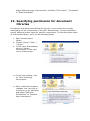
2. Click on “New” > “Add Users”
3. In the new window that pops up,
firstly click on the small booklet
Icon, directly below the first text
field.
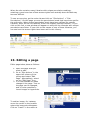
4. Type in the last name of the
person that needs to be added.
If the list becomes very long,
also provide the initials.
Optionally, a welcome message can be typed for the new user.