1
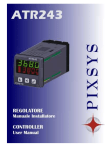
CONTROLLER
and PROGRAMMER
ATR-900
ATR-901
User Manual
Pixsys S.n.c.
Contents list
Introduction .......................................................................................................... 3
1.0 Ordering code ATR900 .............................................................................. 3
1.1 Ordering code ATR901 .............................................................................. 3
2. Electrical wirings .............................................................................................. 4
2.1 Pin Assignment .......................................................................................... 4
3. Displays and keys ............................................................................................ 5
3.2 Leds............................................................................................................ 6
4. Programming and configuration....................................................................... 7
4.1 Entering or modifying a firing curve............................................................ 7
4.2 Entering or modifying a firing cycle - Version 2.x..................................... 9
5. Cycle start and special functions ................................................................... 11
5.1 Program start............................................................................................ 11
5.2 Changing the setpoint value during a firing.............................................. 11
5.3 Jump to the next segment during the cycle ............................................. 11
5.4 Function HOLD......................................................................................... 12
5.5 Visualize Power consumption .................................................................. 12
5.6 Funtion WAITING ..................................................................................... 13
5.7 RECOVERY ............................................................................................. 13
5.8 Function SIMPLE CONTROLLER............................................................ 14
5.9 Auto-tune.................................................................................................. 14
6. Configuration.................................................................................................. 16
6.1 To change values .................................................................................... 16
6.2 Setting of configuration parameters ......................................................... 16
7. Configuration parameters .............................................................................. 17
8. Alarm A1 ........................................................................................................ 19
9. Fault displays ................................................................................................. 20
10. Technical data.............................................................................................. 21
10.1 General features..................................................................................... 21
10.2 Hardware................................................................................................ 21
10.3 Software ................................................................................................. 21
Notes.................................................................................................................. 22
2
Pixsys S.n.c.
Introduction
The plug-in controller ATR900 or 901 is specially dedicated to applications in
the glass and pottery industry. This controller provides high accuracy of the
programmed firing cycle and reliable monitoring of the firing. It can store up to
4 completely configurable programs, each consisting of max. 15 segments.
Delayed start is also available as well as other software functions. All
parameters are protected by a password to avoid unauthorized access.
1.0 Ordering code ATR900
ATR900Digital input
1
No digital input
Relay output
2
Power supply
A
B
C
Connector
Relay 10A
24V AC ±15% 50/60Hz
230V AC ±15% 50/60Hz
110V AC ±15% 50/60Hz
Standard 7 poles
1.1 Ordering code ATR901
ATR901Digital input
1
No digital input
Relay output
2
Power supply
Connector
A
B
C
Relay 10A
24V AC ±15% 50/60Hz
230V AC ±15% 50/60Hz
110V AC ±15% 50/60Hz
Standard 7 poles
3
Pixsys S.n.c.
2. Electrical wirings
Altough this controller has been conceived to resist the worst
noises in an industrial environment, please notice the following
safety guidelines:
• Separate control wires from power wires
• Avoid mounting close to remote control switching systems,
electromagnetic relays, powerful engines
• Avoid proximity of power systems, especially those with
phase control
2.1 Pin Assignment
4
Pixsys S.n.c.
3. Displays and keys
5
Pixsys S.n.c.
3.1 Displays
1
Main display normally displays the actual kiln
temperature. During configuration or programming it
will display setpoint value, number of segments or
other values (temperature, rate, dwell etc.).
2
Secondary display shows the number of segment in
progress or the number of segment which is being
programmed.-
3.2 Leds
2
Leds shows the segment number of the firing
cycle. All leds are flashing when a delayed start
has been programmed. When the cycle
th
foresees more than 7 segments, the 7 led
stays ON also for the additional segments.
3
Led is ON when the operator is entering a
temperature or if the function “simple controller”
is running.
4
Led is ON when the operator is entering a time
value for each segment of a program.
5
Led flashes when the control output is on
during a firing cycle or when the function
“simple controller“ is running.
6
Pixsys S.n.c.
3.3 Keys
6
7
8
9
10
Increases the displayed value:
• Parameter value during configuration
• Setpoint value if operating as “simple
controller” (see 5.3)
• Time or temperature value if entering a
firing cycle.
• Scroll through the parameters during
configuration.
• Scroll through the segments within the
selected program
Decreases the displayed value:
• Setpoint value if operating as “simple
controller” (see 5.3)
• Time or temperature value if entering a
firing cycle
• Parameter value during configuration
START / STOP key
• ESCAPE –key if programming parameters
or cycles.
Scrolls through the cycles to select or start one
• Keep pressing it for about 5 sec. to enter
configuration mode..
4. Programming and configuration
4.1 Entering or modifying a firing curve
The controller must be in STOP-mode. Press
below.
Key
Display
1
Press
Main display displays
and follows the points
Do
Press the key to scroll
through the available
programs and finally the
function “simple
controller”
., until
the chosen program is
displayed.
7
Pixsys S.n.c.
Key
2
3
Press
Display
st
Displays the 1 segment of the
selected program. The number
of segments (1-9,
A,B,C,D,E,F,) is displayed on
nd
the 2 display.
Do
To program the delayed
start of firing cycle, enter the
time value (0:00-09:59) for
step 0. Otherwise skip to
step no. 1
Press
to scroll through
and enter time and temperature
values (and auxiliary relay if
available) for each segment.
Increase or decrease the
Enter duration of segment
displayed value.
(hours:minutes)
To set the maximum rise
speed, press
until
is displayed.
is On.
Led
Enter the setpoint value
(required temperature). Led
is On
To finish the firing cycle,
enter
(keep
pressing
until ‘END’
is displayed).
If auxiliary output is enabled,
select
relay or
to close the
to close it.
4
Press
to end
programming and press it
again to start the firing cycle.
8
to skip to the
Press
st
1 segment of the next
program.
Pixsys S.n.c.
4.2 Entering or modifying a firing cycle - Version 2.x
Press START/STOP and follow the points below:
Key
Display
Do
1
Press the key to scroll
Press
Main display displays
through the available
programs and the function
,
“simple controller”
until the chosen program is
displayed.
9
2
3
Pixsys S.n.c.
Press this key to enter the first
step of the cycle and scroll all
the relevant data (temperature,
time, dwell, state of relay if
available)
To modify them, check point
4.3
Increase or decrease the value • Enter setpoint value.1
on display
Set
to finish the
Press
to scroll data
about the cycle.
is ON.
cycle. Led
• Set the duration of
heating up ramp or
cooling ramp (hours:
minutes)
•
•
Enter
heating
up
maximum power
for
with
Led
is ON
Enter the value for dwell
(hours: minutes)
Set
required.
if dwell is not
Led
is flashing.
• If the auxiliary relay is
enabled, select
to close the relay or
to open it.
11
N.B. If the temperature value is the same as in previous step, the dwell is entered
with a single time value.
10
Pixsys S.n.c.
5. Cycle start and special functions
5.1 Program start
Press START/STOP and follow the points below.
Key
Display
1
Press
Display displays
.
2
Do
Keep pressing the key until
the chosen program is
displayed
Program starts and buzzer
To stop or pause the
sounds briefly. From now on,
display shows the actual
temperature of the kiln.
firing cycle, press
.
Led START is On.
5.2 Changing the setpoint value during a firing.
Key
1
Display
Do
Only possible if this function Enter new setpoint value.
has been enabled (see
parameter 14). Press the key
once to display the setpoint
value. Then press once more
to change this value. After a
few seconds, the display will
revert to the actual
temperature. The new
setpoint value is
automatically stored.
5.3 Jump to the next segment during the cycle
Follow the points below:
Press
Display
1
The controller jumps to the
next segment of the running
Press
cycle
the key for a
few seconds
11
Do
Pixsys S.n.c.
5.4 Function HOLD
Follow the points below:
Press
Display
1
The controller holds the
temperature which is
Press
currently visualized on
the key for a
display until the key CYCLE
few seconds.
is pressed by the operator
again. The display visualizes
alternating the temperature
value and the writing
Do
The function can be
interrupted by pressing the
key
again for a few
seconds.
5.5 Visualize Power consumption
Press START/STOP and follow the points below.
Key
Display
Do
1
Press the key to visualize the
power consumption during last
cycle.
Enter the plant power on P-15 to
rate power consumption
12
Pixsys S.n.c.
5.6 Funtion WAITING
During rising segments , the controller usually jumps to the next segment of
cycle only when the kiln reaches the programmed setpoint value. In case that
the kiln is not able to reach setpoint within the given time (due for example to
excessive load), the controller would hold the running segment until the process
reaches the setpoint.
The function WAITING allows to set a fixed waiting time on parameter P-16 : in
this case the controller waits only for the fixed time before jumping to the next
segment.
When this function is working and the controller jumps to the next segment as
. The writing may be stopped by
result, the display will visualize
pressing the key STEP or START.
P-16 set to zero means that the function is desabled. The function does anyway
not work during holding and cooling ramps as well as during rising steps if time
is set to zero.
5.7 RECOVERY
The function allows the recovery of an interrupted cycle and the firing
prosecution in case of black-out. It may be activated by setting parameter P-17
to 1. If the function has been previously activated, the cycle will restart from the
point of interruption. The controller stores both the running cycle and the
interrupted segment.
13
Pixsys S.n.c.
5.8 Function SIMPLE CONTROLLER
ATR901 may also be used as a “simple controller” to fire a set temperature.
Press START/STOP and follow the sections below.
Key
Display
Do
1
Press
3
Press
or
4
Press
5
Press
Keep pressing
until
display shows
.
Display the temperature
setting and to increase or
decrease it. After a few
is
seconds
displayed again.
The actual temperature of
the kiln is shown. Led
STARTS to flash.
Control output is active.
Display shows temperature
setting . Increase or
decrease the value.
To modify the temperature
setting,
see
following
section no. 5
To exit the function “simple
controller”, press
.
or
5.9 Auto-tune
The Auto-tuning process may be launched when the function “simple controller”
is running, if it has been previously enabled by parameter P-12.
**The process value (temperature measured by sensor) must be at least 35%
lower than setpoint value to avoid overflow.
Access to this function may be desabled (see parameter P-12).
Key
Display
Do
1
Press
Display shows
flashing.
14
2
Press
Pixsys S.n.c.
Display alternates between
and temperature of
kiln. Led STARTS to flash.
The controller starts the selftuning process .
15
Wait until display shows the
kiln temperature again, after
the process has been
completed. To interrupt the
process, press
.
Pixsys S.n.c.
6. Configuration
6.1 To change values
To increase or decrease the displayed value, just press
Press
or
.
to skip to next parameter.
6.2 Setting of configuration parameters
To enter or change the configuration parameters the controller must be in
STOP-mode. Press
Key
1
Press
for
about 5 sec.
and follow the points below.
Display
Do
Display visualizes
st
and the 1
number on the left
flashes.
2
Enter password
.
Press
to skip to next
number and then to display
st
the 1 parameter.
3
Display
flashing.
4
Press this key to scroll
through all the
parameters.
5
Increase or decrease
the value
6
End of configuration.
The controller is set as
STOP-mode
16
When the display reaches
the required parameter, wait
for a few seconds for it to
change to the value.
Enter the new value.
Pixsys S.n.c.
7. Configuration parameters
P-01 Analogic input AN1
Type of thermocouple
0 Type K (-50/1300°C)
1 Type J (-50/1200°C)
2 Type S (-50/1800°C)
3 Type R (-50/1800°C)
P-02 Limits of the scale (0/3200 °C or °F)
This parameter defines the maximum temperature of the kiln. All
parameters which are expressed as percentage values (ON/OFF
hysteresis, proportional band) also refer to this scale
P-03 Auxiliary output A1
Operating of second relay
0
Disabled
1
Set the status of the relay at end of cycle
2
Set the status of relay for each segment of the cycle
3
Same operating of both relays for maximum power
4
General alarm (relay N.O.)
5
Band alarm (relay N.O.)
6
Upper deviation alarm (relay N.O.)
7
Lower deviation alarm (relay N.O.)
8
Set the status of relay during the cycle (N.O. at Start and Stop,
Closed during the cycle)
9
General alarm (relay N.C.)
10 Band alarm (relay N.C.)
11 Upper deviation alarm (N.C.)
12 Lower deviation alarm (N.C.)
13 Set the status of relay during the cycle (N.C. at Start and Stop,
Open during the cycle)
14 Control of safety contactor
P-05 Offset correction for sensor input (-150/150 °C or °F)
P-06 Gain calibration for sensor input (-5.0%…+5.0%)
These parameters act to adjust eventual mistakes caused by damages or
errors on thermocouple wiring and to set the precision of thermocouple
on a well definite point of the scale.
17
P-07
P-08
P-09
P-10
Pixsys S.n.c.
Proportional band (0-1800 °C or °F).
Integral time (0/9999 sec). ( Zero excludes integral)
Derivative time (0.0/999.9 sec). (Zero excludes derivative)
Cycle time for output with proportional time (1/120 sec).
These parameters set the values for P.I.D. control mode.
In case of ON/OFF modulation (proportional band set to 0), parameter
P-10 acts as hysteresis
P-11 Measure units
Units of temperature measurement
0 °C.
1 °F.
P-12 Delayed start
Programming of delayed start (entering step 0) and Autotuning function
0 Step 0 enabled
Auto-tune disabled
1 Step 0 disabled
Auto-tune enabled
2 Step 0 enabled
Auto-tune enabled
3 Step 0 disabled
Auto-tune disabled
P-13 Treshold for alarm (0/3200 °C or °F)
This parameter defines the treshold for intervention of alarm.
P-14 Change of setpoint value during a firing curve
This parameter allows the setpoint values to be modified during a firing.
0 Setpoint change disabled
1 Setpoint change enabled
P-15 Power consumption of the kiln (0.0/999.9 – Kwatt/h)
This parameter defines the power of the plant. If the value has been
entered, press the key STEP after cycle end to visualize the power
consumption Kwatt/h for the last cycle. The value gets lost when the
controller is switched off.
P-16 Function WAITING (0/9999 minutes)
This parameter allows to set a fixed waiting time in case that setpoint
value is not reached. If parameter is set to zero, the function is desabled.
P-17 Function RECOVERY
Recovery of interrupted cycle and firing prosecution after a black-out.
0 Recovery excluded
1 Recovery enabled
18
Pixsys S.n.c.
8. Alarm A1
Band alarm (setpoint-process)
The alarm can be:
• working outside
• working inside
Example: Outside
N.B. Alarm treshold is set on P-13
Hysteresis is fixed as 1°C/°F.
Deviation alarm (setpoint-processo)
• Upper deviation
• Lower deviation
Example: Upper deviation
N.B. Hysteresis is fixed as 1°C/°F.
General alarm (process)
The alarm can be:
• working over
• working under
Example: working over
N.B. Hysteresis is fixed as 1°C/°F.
19
Pixsys S.n.c.
9. Fault displays
In case the plant does not work properly, the controller stops the program
running and shows a fault condition, activating the internal buzzer. To stop the
buzzer press any key. See table below for description of fault messages.
Error
E-01
E-02
E-03
E-04
E-05
E-06
E-07
Cause
Mistake in programming E²PROM
Cold link failed or room
temperature out of limits
Wrong cycle data
Parameter error.
Thermocouple circuit defect
ADC conversion out of range
Second relay is programmed to
control the safety contactor.
20
Do
Contact technical service
Program a new cycle
Check and/or reconfigure the
parameters
Check sensors wiring
Check the operation of the relay
and/or of contactor
Pixsys S.n.c.
10. Technical data
10.1 General features
Display
Operating temperature
Sealing
Material
Weight
Sizes
4 digits (+ 1 digit)
0-45°C, humidity 35..95uR%
IP54
Shock-resistant polystyrene
550 g
120x65x65
10.2 Hardware
Analogic input
Relay output
AN1,
Configurable via software
Input no.1
Thermocouple type K,J,S,R
Accuracy
(25°C)
0.2 % ± 1 digit
OUT1, A1
Control output and safety relay
(alarm or auxiliary)
Contacts
8A-250V~
10.3 Software
Algorythm
Proportional band
Integral time
Derivative time
Programmable cycles
ON/OFF with hysteresis 1°C/°F
P,PI,PID,PD with Proportional time
0...1800°C / °F
0...9999 sec (0 excludes integral)
0,0...999,9 sec (0 excludes derivative)
4 (max 15 steps each) + function “simple
controller” with programmable setpoint
21
Pixsys S.n.c.
Notes
Date :
Installator :
Model ATR
Plant :
Notes:
P-01
P-02
P-03
P-05
P-06
P-07
P-08
P-09
P-10
P-11
P-12
P-13
P-14
P-15
P-16
P-17
Analogic input AN1
Maximum limit of scale (0/3200 digit)
Output A1 (Alarm/Auxiliary relay)
Offset correction for sensor input (-150/150 °C or °F)
Gain calibration for sensor input (-5.0%…+5.0%)
Proportional band (0-1800°C or °F).
Integral time (0/9999 sec). ( 0 excludes integral)
Derivative time (0.0/999.9 sec). (0 excludes derivative)
Cycle time for output with proportional time (1/120 sec).
Measure unit
Delayed start / Autotuning
Treshold for alarm operation
Change of setpoint value during a firing curve
Power consumption (0.0/999.9 kW)
Waiting
Recovery
22
Pixsys S.n.c.
23
Pixsys S.n.c.
PIXSYS
Via Tagliamento, 18
30030 Mellaredo di Pianiga (VE)
www.pixsys.net
e-mail: [email protected] - [email protected]
Software Rev. 1.12
2300.10.041-RevB
130104
*2300.10.041-B*
24