1
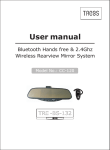
BLUETOOTH User manual 3.0
for model CC-120
CONTENTS
WELCOME & DRIVE SAFELY --------------------------------------------------------2
ILLUSTRATION: Figure 1
------------------------------------------------------ -------3
INTRODUCTION ---------------------------------------------------------------------4\5
INSTALLATION -------------------------------------------------------------------------6
POWER ON / OFF & PAIRING
-----------------------------------------------------7\8
VOICE DIAL ------------------------------------------------------------------------------9
REDIALLING THE LAST DIALED NUMBER --------------------------------------10
CALL ANSWER AND CALL HANG UP ---------------------------------------------11
CALL REJECT -------------------------------------------------------------------------12
AUDIO TRANSFER--------------------------------------------------------------------13
VOLUME CONTROL ------------------------------------------------------------------13
MUTE CONTROL ----------------------------------------------------------------------13
ANSWER MODE SET -----------------------------------------------------------------13
SELECT RING TONE------------------------------------------------------------------13
BLUETOOTH AV DEVICE OPERATION -------------------------------------------14
SWITCH AUDIO OUTPUT MODE AND PICTURE ADJUSTMENT----------16
FM HEADSET USE ------------------------------------------------------17
To Set Audio On and Off---------------------------------------------------------------18
To Resume Factory Default Mode---------------------------------------------------18
WIRELESS CAMERA SYSTEM-------------------18
PHONE BOOK--------------------------------------------------------------------------19
SELECT LAST 10 CALLS DIAL-BACK FROM BLUETOOTH MIRROR-------19
Frequently asked questions----------------------------------------------------------21
SPECIFICATION-----------------------------------------------------------------------21
1
Welcome
Thank you for the purchase of this Bluetooth Handsfree
Car Kit. For the sake of making full use of the functions of
Bluetooth Car Kit, please read the user manual carefully in
advance.
Drive safely
It is dangerous to use cellphone when driving a car. It will
increase the possibility of accident.
Please reduce conversation time by mobile as possible as
you can while driving. It is good for you not to do any record
or read. You' d better observe the surroundings before using
the mobile first. When it's necessary (if the weather is bad;
there is traffic jam; there are children in the car or something wrong with the car), you should leave the road and
stop the car before dialing or receiving a call.
ILLUSTRATION: Figure 1
3
1. INTRODUCTION
The Bluetooth handsfree car kit mirror compose of the parts shown as
Figure 1
1.1 1.1 MODE selector – Press this button to cycle through audio
output – transmission frequency – monitor setup. Press and hold
this button for 1.5 seconds to access the FM CHANNEL menu. You
can set the frequency. Press and hold to cycle through the
transmission frequencies. 7 settings are available.
1.2 Function button (PLAY)-- 1.2
During active call the sound
mutes if pause or stop mode is selected on a Bluetooth AV device.
Press and hold the button for 3 seconds to switch to video mode.
1.3 Multi-function button(TALK)-- 1.3
Turn mirror on/off,
answering a call, hanging up a call, voice dialing, last number
redialing, rejecting a call
1.4 Volume (VOL+/VOL-) – Set volume, select ring tone, track
skip +/- if Bluetooth-compatible audio device plays.
1.5 Power connector (PWR) – DC +12V input.
1.6
Audio connector (AUDIO)--Connect
to
audio source,
such as MP3, MP4, or CD player. While handsfree system is
vacant (No call or Bluetooth AV activities),press “PLAY” key
twice to open audio input, “MEDIA PLAY” will be displayed
on mirror and the mirror can work as an stereo
sound box or FM audio adapter(in FM mode).
1.7 3.5 inch TFT display--Call ID display, Camera display,
Video in display
1.8 Speaker--Built-in dual channel stereo loud-speaker.
1.9 Microphone--Built-in microphone.
1.10 Indicator lamp--State indicator lamp.
2. INSTALLATION
Easy installation, step as following:
2.1 Hook bottom-stator of the mirror on original rearview mirror
bottom edge. Ensure perpendicular bisector of the
mirror is congruent with perpendicular bisector of original
rearview mirror. Pull up-stator of the
until it is fix on
mirror
original rearview mirror (up and bottom stator will adjust
by spring). Then release hand.
2.2 Check if the
has been firmly clipped to the
mirror
original review mirror, the congruence of the mirror
compare to original rearview mirror, and adjust accordingly.
2.3 If there is any loose, repeat above steps.
2.4 Plug the power adapter into the cigarette socket
3. Turn mirror ON / OFF
Press multi-function button(TALK) and hold for 1.5 seconds,
until “POWER ON”. T h e m i r r o r s o u n d s a b r i e f b e e p t o n e ,
then release it. The device is turned on. Once power on
the device will auto connect the latest used cellphone, if never
paired with any cellphone yet, the device will enter pairing state.
Press multi-function (TALK) key and hold for more than
5 seconds.
Until
“POWER
OFF”
is
displayed
on
mirror.
The mirror sounds a brief beep tone. The device is turned off.
4. PAIRING
“Pair” means the handsfree system and mobile phone
authenticate each other and store the authentication
information. Only paired devices can establish link and
audio connection.
STEP
STATE/RESULT
1. In power off state, press and hold
Blue LED and red LED will flash
TALK button for more than 5 seconds
alternately,
until
displayed on mirror.
Blue
alternately
LED
to
and
red LED
flash
”PAIR
ON” will
be
enter pairing state.
2. Select ‘Search for Bluetooth devices’
After
on your mobile phone. Please refer
mobile will display all found Bluetooth
to
devices.
mobile
user manual.
searching
finished,
the
3. According to the mobile prompt
Information, select
“ Enter
WINS
in device
4.
Pin ”code
“0000”list.
to confirm the pairing.
Pairing information will be stored.
“PAIR SUCCESS” will be displayed
on
mirror
once
paired
successfully.
a) Some mobile can connect
to the device automatically after pairing
“MB CONNECTED” will be displayed on
successfully
mirror and blue LED is on.
(such as nokia).
b) If the mobile was not connected after paired, just
short press the TALK button, the Bluetooth mirror
As above.
will try to connect mobile phone.
8
5. VOICE DIAL
STEP
1. Ensure mobile has
STATE / RESULT
Blue LED is flash.
Connected to device.
2. Short press function button “
VOICE DIAL”
(TA LK).
be displayed on
will
mirror.
The device will send voice
dial prompt.
3 Bring out a pre-recorded
The mobile will dial number,”
voice tag.
CALL OUT” will be displayed
on mirror.
Note : This function used only the user mobile phone
Supports the voice dial function. Please refer to mobile
user manual for details.
6. REDIALLING THE LAST DIALED NUMBER
STEP
STATE / RESULT
1. Ensure mobile has
Blue LED is flash.
connected to device.
”REDIAL” will
2. Press and hold function button
(TA LK) for 1.5
be displayed on
mirror.
Dial the last number.” CALL OUT”
will be displayed on mirror.
seconds.
3 Press function button (TA LK)
”HANG UP” will be displayed on
once again will hang up the out
mirror.
going call just now.
Note: This function depends on the feature of mobile.
Please refer to mobile user manual. When you find the
outgoing call number is not the desired, use Step 3 to
Cancel it.
10
Bluetooth Handsfree System
7. CALL ANSWER AND CALL HANG UP
STEP
1. Ensure mobile has
STATE / RESULT
Blue LED is flash.
connected to device.
The mirror displays, which
ring tone is set.
If the ring tone is
2. Incoming call.
unknown it is only
3. Short press function button ”ANSW
ER” ”CALL ACTIVE”
displayed.
(TA LK)once.
will
be displayed on mirror.
4. Short press function button ”HANG UP” will
be displayed
(TA LK) once again to hang on mirror.
up a call during call active
Note: Some mobile is in disconnected state after pair. it
will
automatically
connect
to
the
device
when
has
an
incoming call. Some mobile phone may not support the
caller ID indication function and the caller ID will not be
displayed.
11
Bluetooth Handsfree System
8. CALL REJECT
STEP
1. Ensure mobile has
STATE / RESULT
Blue LED is flash.
connected to device.
The mirror displays, which
ring tone is set.
If the ring tone is
2. Incoming call.
unknown it is only
3 Press and hold function button “REJECT”
displayed. will be
(TALK) for 1.5 seconds reject displayed on mirror.
the incoming call.
12
Bluetooth Handsfree System
9. AUDIO TRANSFER
During call active or call out going state, Press and hold
function(TALK) button and hold for 1.5 seconds to
switch the call between Bluetooth handsfree and mobile,
“
MIRROR PHONE”
“
MOBILE PHONE”
will be
displayed on mirror.
10. VOLUME CONTROL
Press “VOL+” to increase volume, press “VOL-“ to decrease volume.
11. ANSWER MODE SET
In idle state hold both “VOL+” and “VOL-“ for 1.5 seconds
to set the answer mode as auto answer or manual answer.
12. MUTE CONTROL
During active call,press “PLAY” button and hold for 1.5
seconds to mute microphone, ”MUTE ON” will be displayed
on mirror, long press “PLAY” button 1.5 Sec. again to
release mute,” MUTE OFF “will be displayed on mirror.
13. SELECT RING TONE
Press the “VOL+” or ”VOL-“ key and hold for 3 seconds
to select the ring tone, total 16 sorts of ring tones are
available.
13
14. BLUETOOTH AV DEVICE OPERATION
STEP
STATE / RESULT
1. If AV not connected, shortly “BT STEREO” will be displayed
press “PLAY” key to connect
on mirror
last
Bluetooth
AV “PLAY”
device . key “AV PLAY” or “AV PAUSE” will
2. Shortly
press
to play or pause playback.
be displayed on mirror
3 Press and hold “PLAY” key “AV STOP” will be displayed
for 1.5S to stop playback.
on mirror
4. Long press “VOL+” or “VOL-“
“AV FORWARD” or
button
“AV BACKWARD”
for
1.5
seconds,
and release once heard an
prompt tone
to
forward
skip backward.
or
skip
will be displayed
on mirror
14
15. SWITCH AUDIO OUTPUT MODE
AND
PICTURE ADJUSTMENT
STEP
STATE / RESULT
1. The default mode of audio “SPEAKER” will be displayed
output is speaker mode.
on mirror and green LED will
be on.
2. Shortly press
“FM” will be displayed on
“
mirror and right red LED
MODE”
will be on.
3 At FM transmitter mode, press Selected
transmitting frequency
key to switch to FM
and hold “MODE” key to select will be displayed on mirror :87.7,
to
transmitter mode.
th e
desire d
transmittin g frequency,
tune
your
car radio to
87.9, 88.1, 88.3, 88.5,
then
88.7, 88.9.
receive the frequency
accordingly.
4. Shortly press
Picture menu
“
on mirror, press and hold ”MODE”
MODE”
key to switch to picture
adjustment mode.
will
be displayed
key to select item “BRIGHTNESS”
or “CONTRAST” or “COLOR”, use
“VOL+” and “VOL-” to change the
value
16
16. FM HEADSET USE
CHARGE PORT
POWER SWITCH
NO FUNCTION
INDICATOR LED
(RED FOR POWE ON,
GREEN FOR CHANGING)
To make use of the FM headphones from the charging point on the
mirror take them from the mirror. In this case the audio output mode
automatically changes to FM 107.9 (the receiver frequency of the FM
headphones).Then press the headset button to turn on
the headset(red led on) to start talk. The operation range is
about 1m. Once headset put back to the charging socket, the
audio output mode will be auto restored to the mode before
headset unplug.
Attention:Keep volume below 11 to avoid noise when using
FM headset.
If there is a radio station 107.9MHZ,it may interfere
with FM headset.
17
17.To Set Audio On and Of f
When the handsfree system is vacant(no call in or call out),
input by shortly pressing
mirror, shortly
“PLAY” key twice, “MEDIA PLAY”
you can open the audio
will be
displayed on
press “PLAY” key twice again to shut the audio input , “MEDIA OFF”
will be displayed on mirror.
18.To Resume Factor y Default Mode
Press and hold “VOL+”and “VOL-” key together for 10 seconds to
mode,
“DEL ALL
BT”
will
resume
factory
defaule
be displayed on mirror, all bluetooth device will be
cancelled.
19.REARVIEW
SYSTEM
While car backward, the rearview system auto start working, the image of back around from
camera will be displayed on mirror. There will be several different transmitting and receiving
frequency, 2414MHz,2432MHz,2450MHz,2468MHz.The same tag can be used in
conjunction with transmitting and receiving.
18
20. PHONE BOOK
1.First store phone number into your mobile with English name.
2.Press “MODE” button twice to enter address list transfer, “B CARD
READY” will be displayed on mirror. To choose address list transfer
by bluetooth from mobile phone.
3.The English name will be displayed on mirror if transfer success.
4.Max.200 address can be stored .If over 200 address, the new
address will cover the earlier.
5.To delete address list: Press and hold “PLAY” button for 6 seconds,
“DELETE
PB” will be displayed on mirror, press “PLAY” button twice
within period of 15 seconds to delete phone book.
21. SELECT LAST 10 CALLS
DIAL-BACK FROM
BLUETOOTH MIRROR
Press “TALK” button twice to resume the last answered call, then
press “VOL+” or “VOL-” button to scroll the last 10 calls, press
“TALK” button to dial the number.
19
22. SWITCH TO VIDEO INPUT MODE
Press and hold “PLAY” key for 3 seconds to switch to video input
mode, you can connect the white video in socket to a video source.
Press and hold “PLAY” key for 3 seconds again to exit video input
mode.
23. Frequently asked questions
23.1 Can Bluetooth mirror connect to any bluetooth devices?
Re: Bluetooth mirror can connect with any bluetooth devices
which support headset profile or handsfree profile. But different
bluetooth devices may have different operation. For the mobile
supporting headset profile, it disconnects normally, but it can
connect to handsfree automatically and cannot display caller ID.
23.2 What is useful distance between Bluetooth mirror and phone?
Re: Usually
distance
23.3
any
Does
between
interference
device
when
and
use
phone
is
B luetooth
Re: Wireless and wireless network devices may have interference
during communication. Use bluetooth devices and keep away from
RF generator will reduce interference.
21
10M.
m irror?
SPECIFICATION
SECTION
DATA
UNI
1.Bluetooth Standard: Bluetooth 2.0+EDR T
2.Bluetooth Frequency:2.4GHz ISM band
3.Bluetooth Transmit Power:≤4dBm,class 2 (communication distance:10
meters)
4.3.5 inch TFT LCD with vesolution:960X240
5.Power Supply: 9V~15V
6.Operating Temperature:-10°C~60°C
7.Audio Distortion(1KHZ/1000mv input)
%
0.3
8.Speaker Output Power(1KHZ/1000mv
W
0.5
input,max,volume)
9.Transmission
Frequency(F1\F2\F3\F4) MH ISM
ZNW 2414\2432\2450\2468
40
10.FM Transmitter Output Level
11.Wireless earphone receiving frequency MH
107.9
12.Wireless earphone receiving distance ZM
1.0
13.Wireless earphone output power
M
60
14.Wireless earphone charging time
W
H
2
15.Wireless earphone working time
H
4~6
16.Received Sensitivity
DB
≤-85
17.Mirror Consumption Current(MAX.)
m
MA
6 00
18.Unobstructed Effective Range(Min)
M
40
19.Mirror Dimensions(W X D X H)
M
285X90X24
20.Mirror Weight(about)
M
G
370
CMOS
21.Camera Imaging Sensor
720x4SC)
22.Camera Total Pixels
23.Camera Horizontal View Angle
80
Deg 80(NT
24.Camera Transmission Power
ree
M
25.Camera Minimum illumination
W
720x576(PAL)
2/FCC,10/CE
0
R ON)
Lux(I
26.Camera IR Night Range
27.Camera Power Supply
28.Camera Consumption
29.Camera Dimensions(WxDxH)
Current(Max.)
30. Camera Weight (about)
M
M
m
AG
m
4
Supplied By Transmission
120
Box
525x148x445
264
5
* Actual transmission range may vary according to the weather, location,
Interference and building construction.
* All the specifications are subject to minor change without prior notice.
Declaration of Conformity:
We, Trebs BV, declare under our sole responsibility that this product is in conformity with the
essential requirements and other relevant requirements of the R&TTE Directive (1999/5/EC).
The product is compliant with the following standards and/ or other normative documents:
EN301 489-1 V1.8.1 (2008-04)
EN301 489 -17 V2.1.1 (2009-02)
EN300 328 V1.7.1 (2006-10)
Service
If you have any further questions about the product after reading this manual, please contact the
Trebs customer service: [email protected].
Trebs BV
Thermiekstraat 1a, 6361 HB, Nuth, The Netherlands, Email: [email protected], Internet: www.trebs.nl
CE
Trebs Comfortcam is a registered brand of Trebs BV. All other brands in this manual and/ or
packaging do not belong to Trebs BV and have another justified holder.
EU Environmental Protection
Waste electrical products
should not be disposed of
with household waste.
Please recycle where
facilities exist. Check with
your Local Authority or
retailer for recycling
advice.