1
1. INTRODUCTION
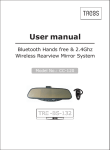
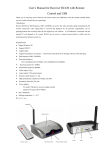
The Bluetooth handsfree car kit mirror compose of the parts shown as
Figure 1
1.1 1.1 MODE selector – Press this button to cycle through audio
output – transmission frequency – monitor setup. Press and hold
this button for 1.5 seconds to access the FM CHANNEL menu. You
can set the frequency. Press and hold to cycle through the
transmission frequencies. 7 settings are available.
1.2 Function button (PLAY)-- 1.2
During active call the sound
mutes if pause or stop mode is selected on a Bluetooth AV device.
Press and hold the button for 3 seconds to switch to video mode.
1.3 Multi-function button(TALK)-- 1.3
Turn mirror on/off,
answering a call, hanging up a call, voice dialing, last number
redialing, rejecting a call
1.4 Volume (VOL+/VOL-) – Set volume, select ring tone, track
skip +/- if Bluetooth-compatible audio device plays.
1.5 Power connector (PWR) – DC +12V input.
1.6
Audio connector (AUDIO)--Connect
to
audio source,
such as MP3, MP4, or CD player. While handsfree system is
vacant (No call or Bluetooth AV activities),press “PLAY” key
twice to open audio input, “MEDIA PLAY” will be displayed
on mirror and the mirror can work as an stereo
sound box or FM audio adapter(in FM mode).
1.7 3.5 inch TFT display--Call ID display, Camera display,
Video in display
1.8 Speaker--Built-in dual channel stereo loud-speaker.
1.9 Microphone--Built-in microphone.
1.10 Indicator lamp--State indicator lamp.