1
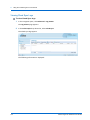
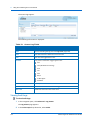
Using the CTERA Agent in Cloud Mode
5
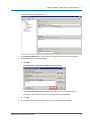
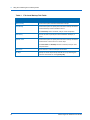
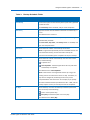
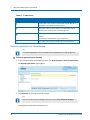
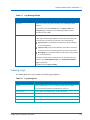
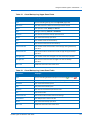
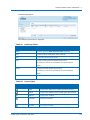
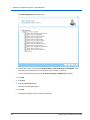
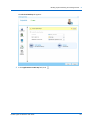
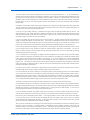
Table 15: Cloud Backup Log Upper Pane Fields
This field...
Displays...
Type
An icon indicating the log level. See Log Levels (page 138).
Start Time
The date and time at which the backup operation started.
Mode
The operation mode, Backup or Restore.
Type
The type of backup, Manual or Scheduled.
Duration
The amount of time the backup operation took.
Result
The result of the backup operation.
Files
The number of files to be backed up.
Size
The total size of the files to be backed up.
Transferred Files
The number of files transferred to cloud storage during the backup
operation.
Transferred Size
The size of the files transferred to cloud storage during the backup
operation.
Changed Files
The number of files that changed since the last backup operation.
Changed Size
The total size of the files that changed since the last backup
operation.
More Info
Additional information about the event.
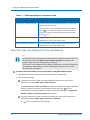
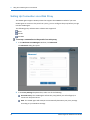
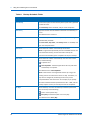
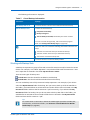
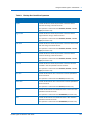
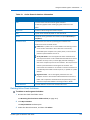
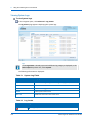
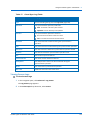
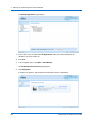
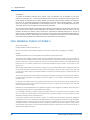
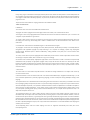
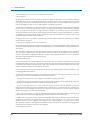
Table 16: Cloud Backup Log Lower Pane Fields
This field...
Displays...
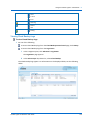
Type
An icon indicating whether backup was successful (
Operation
The operation performed (create, delete, modify, or rename).
File Name
The name of the backed up file.
Path
The path to the backed up file.
Duration
The amount of time backup took for the file.
Size
The size of the file.
Transferred Size
The size of the file transferred to cloud storage.
Dedup Ratio
The deduplication ratio for the file.
Result
The result of the backup operation.
More Info
Additional information about the event.
CTERA Agent for Windows User Guide
) or not (
).
141