1
2
Installing the CTERA Agent
This chapter describes how to install the CTERA Agent on a computer running Microsoft
Windows.
In This Chapter
Requirements---------------------------------------------------------------------------------------------------------- 7
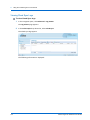
Downloading CTERA Agent ----------------------------------------------------------------------------------------- 8
Installing the Agent -------------------------------------------------------------------------------------------------- 9
Uninstalling the Agent --------------------------------------------------------------------------------------------- 13
Requirements
Software Requirements
In order to install and manage the CTERA Agent, you will need the following:
A supported operating system
Either Microsoft Internet Explorer 7.0 or later, Mozilla Firefox 27 or later, Apple Safari 6 or
later, or Google Chrome 30 or later
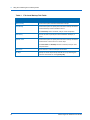
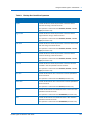
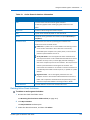
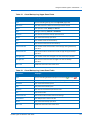
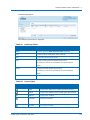
The CTERA Agent can be installed on the operating systems shown in the following table,
which also shows which backup operations are supported by each operating system.
Supported Operating Systems and Backup Operations
Operating System
Supports Server
Application
Backup
Supports
Disk-Level
Backup
Supports
System State
Backup
Microsoft Windows XP
No
No
No
Microsoft Windows 7
Yes
Yes
No
Microsoft Windows 8
No
Yes
No
Yes
No
Yes
Yes
Yes
No
Microsoft Windows Server 2008 R2 Yes
Yes
No
Workstation Agent
Server Agent
Microsoft Windows Server 2003
SP1
Microsoft Windows Server 2008
CTERA Agent for Windows User Guide
7