1
8
Osborne-Hoffman Network Receiver Software
User Manual
Polling to the Alarm Monitoring Software
This section discusses polling to alarm monitoring software from the OH Network Receiver.
Network status checks
In normal operation, the OH Network receiver polls the alarm monitoring software at configurable intervals.
The polling message is called the heartbeat signal. The computer automation system is notified by the OH
Network Receiver when the network is disconnected by periodically checking the network status.
This feature is useful so that the OH Network Receiver does not have to stop monitoring panels and the user
then would need to restart it to resume the normal operations. It also prevents a “flurry” of LT’s (linecut
timeouts) sent to the automation software when the network is disconnected.
You can set the interval that the OH Network Receiver performs network status checks by setting the
NetworkCheckInterval property in the .app.properties file with the number of seconds you want to pass
between checks. For example, set this to 10 seconds since you want the OH Network Receiver to immediately
notify the automation software when the network is disconnected.
Before the OH Network Receiver sends an LT to the automation software, it will check the network status.
When the network is disconnected
While the network is disconnected, the following actions occur:
• The panel monitoring subsystem will be suspended.
• The receiver heartbeat signals to the automation software over IP/RS-232 are turned off.
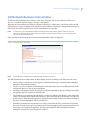
• A pop-up window is displayed with a message alerting the user the network is disconnected. This
window will automatically close once the network is reconnected.
• If any panel times out while the network is disconnected, the ActivePanelList suffixes this panel with a
letter D. No LT is generated in this case. This helps the user identify all the panels that have an LT.
• The OH Network Receiver will detect the network status every 10 seconds by default (configurable in
the NetworkCheckInterval property in the .app.properties file).
When the network is reconnected
When the network is reconnected, the following actions occur:
• The OH Network Receiver will wait for the specified recovery time, and then awaken the panel
monitoring subsystem. You can configure the time it waits using the RecoveryTime property in the
app.properties file. The recovery time allows the panels to recover from being disconnected for a long
time. This prevents the OH Network Receiver from sending a flurry of linecut timeouts to the
automation software.
• During the recovery period, the following actions occur:
a. The OH Network Receiver starts reporting its heartbeat signals and alarms to the automation
software.
b. If the receiver gets a heartbeat signal for a panel that was suffixed with a letter D, then the D is
removed. No LR (linecut recovery) is generated in this case.
•
After the recover period, the panel monitoring subsystem verifies all panels for the timeout in the
active panels list. If any panel is still suffixed with a D, then an LT is generated for the panel and D is
replaced by a letter R.