1
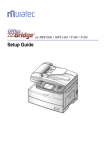
Preface Thank you for purchasing “OfficeBridge”. “OfficeBridge” is a document management system that allows you to manage documents on your network, including faxes. This book explains how to set your Multi Function Peripherals (MFP) and to use the Internet Fax and scan functions on your MFP when “OfficeBridge” has been installed. The Manuals The following manuals are included with the OfficeBridge. Setup Guide (Book) This is the first documentation you should refer to for installing and setting up the OfficeBridge. User's Guide (PDF) Explains how to use the Internet Fax and scanner functions on your machine when the OfficeBridge has been installed. This book is a PDF file. To see this manual, the Adobe Acrobat Reader is required. Reference Manual (HTML) Explains how to use all of the OfficeBridge functions and utility programs. You can install this manual on your computer and see it using a web browser. If you do not install the “Reference manual” on your computer, you can see it from the CD directly by running the “Index.html” located on the following address. G:\Manuals\English\ReferenceManual (G: is a CD drive letter) ii