1
Contents
Preface............................................................................................ii
The Manuals..................................................................................ii
How to read this manual..............................................................vi
Trademarks...................................................................................vi
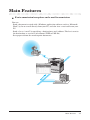
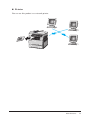
Main Features.............................................................................. vii
Chapter 1 MFP Settings............................................... 1-1
Network Settings........................................................................1-3
Setting TCP/IP............................................................................1-3
Checking the MAC address........................................................1-7
Setting SMB................................................................................1-7
Running Ping..............................................................................1-9
Setting LDAP............................................................................1-10
Setting the time zone................................................................1-16
Clearing the server data...........................................................1-17
Printing the system settings list..............................................1-18
Internet Fax Settings.............................................................. 1-19
Setting the default e-mail fixed form.......................................1-19
Setting the default format of an attached file.........................1-20
Setting the priority display of the address book.....................1-20
Displaying the Mail Settings key with priority......................1-21
Setting the soft keys.................................................................1-22
Setting the touch panel keys....................................................1-23
Printing the OfficeBridge address book..................................1-26
Printing the fax settings list....................................................1-26
Network Scan Settings........................................................... 1-27
Setting the default scan size....................................................1-28
Setting the default of divide transmission..............................1-29
Setting the soft keys.................................................................1-29
Setting the touch panel keys....................................................1-30
Setting the auto reset time......................................................1-33
Setting the key touch tone.......................................................1-34
Setting the scan prohibition.....................................................1-35
Printing the scanner settings list............................................1-35
Printing the folder shortcut list...............................................1-36
Shutdown.................................................................................. 1-37
Shutting down...........................................................................1-37
Contents iii