1
Asset Bank, Training Guide
Deleting Users
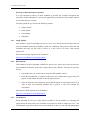
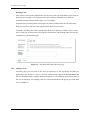
Only delete a user from the application if you are sure you do not want them to login again in
the future (for example, if an employee leaves the company). Alternatives to delete are
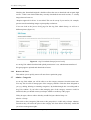
available from the [edit] user link (figure 11), for example:
Suspend User (preventing them from logging in, until you uncheck this box at a later date).
Hide user (as above, but also removing them from the Find Users area).
If in doubt, choosing one of these options will allow you to quickly re-enable a user at a later
date, saving you (or them) from re-keying their information, and ensuring other user stats are
maintained (e.g. download usage).
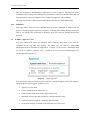
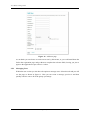
Figure 11 – The latter half of the [edit user] page
3.5.2
Adding a User
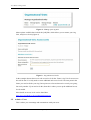
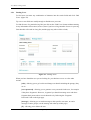
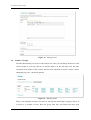
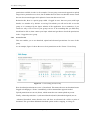
From this page you can create a new user (as opposed to a user registering and then you
approving as per section 3.3 above). Click on ‘Add new user’ and fill in the information that
the user would normally complete themselves (figure 12). In addition, set an expiry date (if
the user is temporary for example), add in a password and choose the groups you wish them
to be a member of.
Page 13 of 21