1
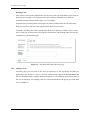
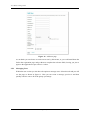
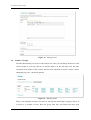
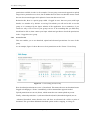
Asset Bank, Training Guide Entering as much metadata as possible It is also important to add in as much metadata as possible (for example description and keywords) as this information is used by the application to present the best possible matches to user when they run a search. From the upload tab you will see the following options: 3.2.1 Single Upload Bulk Upload Unsubmitted Submitted. Single Upload This method is used for uploading one file at a time. You choose the file and then enter all relevant metadata (ensuring all mandatory fields are completed). One you have done this and submitted the form, the file will be visible as a new asset to all users with relevant permissions. More detail on Single Upload can be found here: http://www.assetbank.co.uk/go/help/upload/ 3.2.2 Bulk Upload This method is used for uploading a number of files at once. These sets of files tend to have some metadata in common, such as the category they will be added to. The steps involved for this are: 1. Upload the files you want to import using the bulk uploader control. 2. Enter the metadata that is common to these files (for example the category they will appear in) and submit the form to start the import process. 3. Once the files have been imported, use the Batch Update to step through each one in order to enter any remaining metadata that is specific to each (for example the description). More detail on Bulk Upload can be found here: http://www.assetbank.co.uk/go/help/import/ 3.2.3 Unsubmitted When uploading an asset one of the options available is 'Do not submit yet'. Selecting this option means the asset will be only available to you until you decide to submit it to ‘live’. The 'Unsubmitted’ page shows those assets in one location so that you can edit and update them Page 8 of 21