1
Asset Bank, Training Guide
5 Appendix A
5.1
Turning off admin alerts
If you would like to turn off notifications being emailed to you (e.g. when someone requests
approval to download assets), then follow this process.
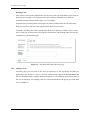
Log in as an Org unit admin
Go to:
Admin > Users
And look up your own account.
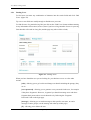
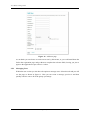
Click [edit] and you should now be taken to your own ‘Edit User’ page.
Midway down, you should see a ‘Receives alerts:’ checkbox. If you un-tick this, then you will
no longer receive alerts.
Page 21 of 21