1
Readingg Lists Online Staff Usser Guide Dupliccatingaliist
A pre‐exxisting readin
ng list can be
e duplicated and made avvailable for a
another acaddemic session or even a n
new module.. The destina
ation modulee code and academic session must noot already exxist otherwisse an error m
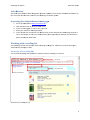
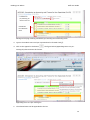
message will be displayedd. 1. Go to the Manage list pa
age. py button for the readingg list to be duplicated. 2. Click the Cop
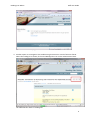
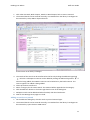
3. A dialog boxx will appear with the opttion to speciify the destin
nation or targget module code and the yearr for the new
w reading listt. 4. Click the Cop
py button. 5. The details aand items of the source rreading list w
will be copied
d to the new
w reading list. Creatiingalistfforanewmodule
For the m
most part creating lists for a new moodule will be done autom
matically. Nevvertheless, in
n the event a reading list iis required fo
or a non‐exisstent module
e please follo
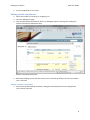
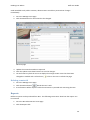
ow these insttructions: 1. Go to the RLO administrrator home ppage ministrator h
home page The RLO adm
2. Click the Creeate a new m
module link.
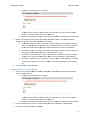
d (shown belo
ow). 3. The Create aa new module form will bbe displayed
11