1
Reading Lists Online Staff User Guide 5. A new unpublished list is created. Editingmodulecontributors
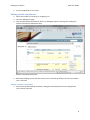
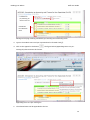
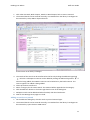
1. Select the module by searching or navigating to it. 2. Go to the Manage list page. 3. Click the Edit Module Contributors button. A dialog box appears showing the reading lists and the contributors defined for them Module contributors dialog box 4. Before proceeding, ensure that the correct year is selected. By default, the current academic year is selected. Addingamodulecontributor
1. Ensure that the Edit module contributor dialog box is displayed and that the appropriate year has been selected. 8