1
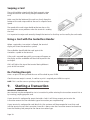
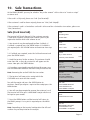
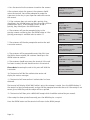
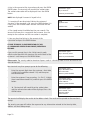
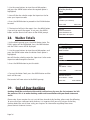
1. At the READY prompt press the MENU button. Use the
arrow buttons to view the available options and press the
GREEN button when the Pre-Auth option is highlighted.
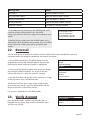
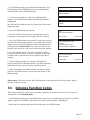
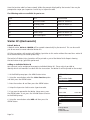
2. Key in the amount of the transaction and press the GREEN
button or insert/swipe the customer’s card and then key in
the transaction amount.
3. If performing a swiped transaction, your terminal may
prompt you to enter the last four digits of the card
number. If so, key in the last four digits of the customer’s
card number and press the GREEN button.
The transaction will now continue as a normal sale
transaction. Please refer to section 10 for information on
how to complete a sale transaction.
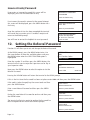
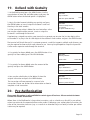
TRANSACTION MENU
Refund
Purchase. with Cashback
Pre-Auth
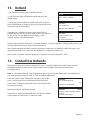
PRE-AUTH
Key in Amount:
0.00
and then press ENTER
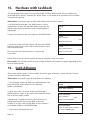
PRE-AUTH
Insert or Swipe Card
to continue
(or press Cancel key)
Completion
Please note: If the final bill is more than the total pre authorised amount, a further
pre-authorisation may be required for the difference which must be obtained prior to carrying out the
completion transaction.
The following procedure will complete a pre-authorised transaction when the final account is
confirmed with the customer.
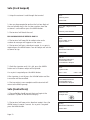
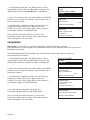
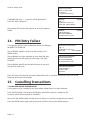
1. At the READY prompt press the MENU button. Use the
arrow buttons to view the available options and press the
GREEN button when the Completion option is highlighted.
2. Key in the amount of the transaction and press the GREEN
button or insert/swipe the customer’s card and then key in
completion amount.
3. If performing a swiped transaction, your terminal may
prompt you to enter the last four digits of the card
number. If so, key in the last four digits of the customer’s
card number and press the GREEN button.
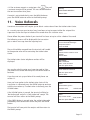
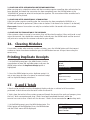
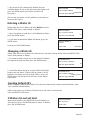
4. You will then be prompted to enter the last
Pre-Authorised code and press the GREEN button.
The transaction will now continue as a normal sale
transaction. Please refer to section 10 for information on
how to complete a sale transaction.
Page 20
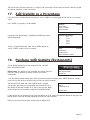
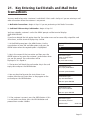
TRANSACTION MENU
Pre-Auth
Completion
Cash Advance
COMPLETION
Key in Final Amount
0.00
and then press ENTER
COMPLETION
Insert or swipe card
to continue
(or press Cancel key)
COMPLETION
Key in last Pre-Auth Code:
and then press ENTER