1
1.
Introduction
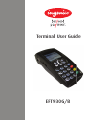
This guide will detail how you install and use your EFT930 terminal, including Safety Instructions
and instructions on transaction processing, printing reports and general maintenance of the terminal.
Important Battery Information
Battery Operation
The terminal displays the Battery Power status as a number of bars much like those on a mobile phone
display. There are a number of factors that can affect the rate of Battery drainage, for example:
•
•
•
•
•
length of receipt
time off the base
number of receipts per transaction
time before sleep mode is activated
time between transactions
Depending upon a number of factors, you might experience variation in the number of transactions
performed for each bar on the Battery Power display.
Please check the battery status prior to initiating any action on the handset. Should it indicate ‘very
low’ (no bars) or ‘no power’ then you should return the handset to the base to charge the battery.
2.
Important Safety Instructions
Upon receipt of your terminal you should check for signs of tampering of the equipment. It is strongly
advised that these checks are performed regularly after receipt. You should check, for example: that
the keypad is firmly in place; that there is no evidence of unusual wires that have been connected to
any ports on your terminal or associated equipment, the chip card reader, or any other part of your
terminal. Such checks would provide warning of any unauthorised modifications to your terminal, and
other suspicious behaviour of individuals that have access to your terminal.
Your terminal detects any ‘tampered state’. In this state the terminal will repeatedly flash the message
‘Alert Irruption!’ and further use of the terminal will not be possible. If you observe the Alert Irruption!’
message, you should contact the terminal helpdesk immediately.
You are strongly advised to ensure that privileged access to your terminal is only granted to staff that
have been independently verified as being trustworthy.
CAUTION : NEVER ask the customer to divulge their PIN Code. Customers should be advised to
ensure that they are not being overlooked when entering their PIN Code.
Powering down the EFT930 base:
Disconnect the EFT930 power supply block adapter from the electrical mains network.
Page 2